
Why this guide exists
In GTA V, each weapon has different component IDs for the same attachment type. For example:- A suppressor for a Pistol uses
COMPONENT_AT_PI_SUPP - A suppressor for a Combat Pistol uses
COMPONENT_AT_PI_SUPP_02
Step-by-step guide
Step 1: Check if the item exists
First, check if an item for your attachment type already exists in your database.- Vanilla GTA weapons
- Modded weapons
- Most common attachments (suppressor, extended clip, flashlight, etc.) should already exist
- Use
/inventorycommand in-game to check existing items
1
Open the inventory management UI
Type
/inventory in-game.2
Create or edit an item
Create a new item or edit an existing one.
3
Set the correct item type
barrel
Suppressors, muzzle brakes
clip
Magazines
scope
Sights and optics
flashlight
Tactical lights
grip
Foregrips
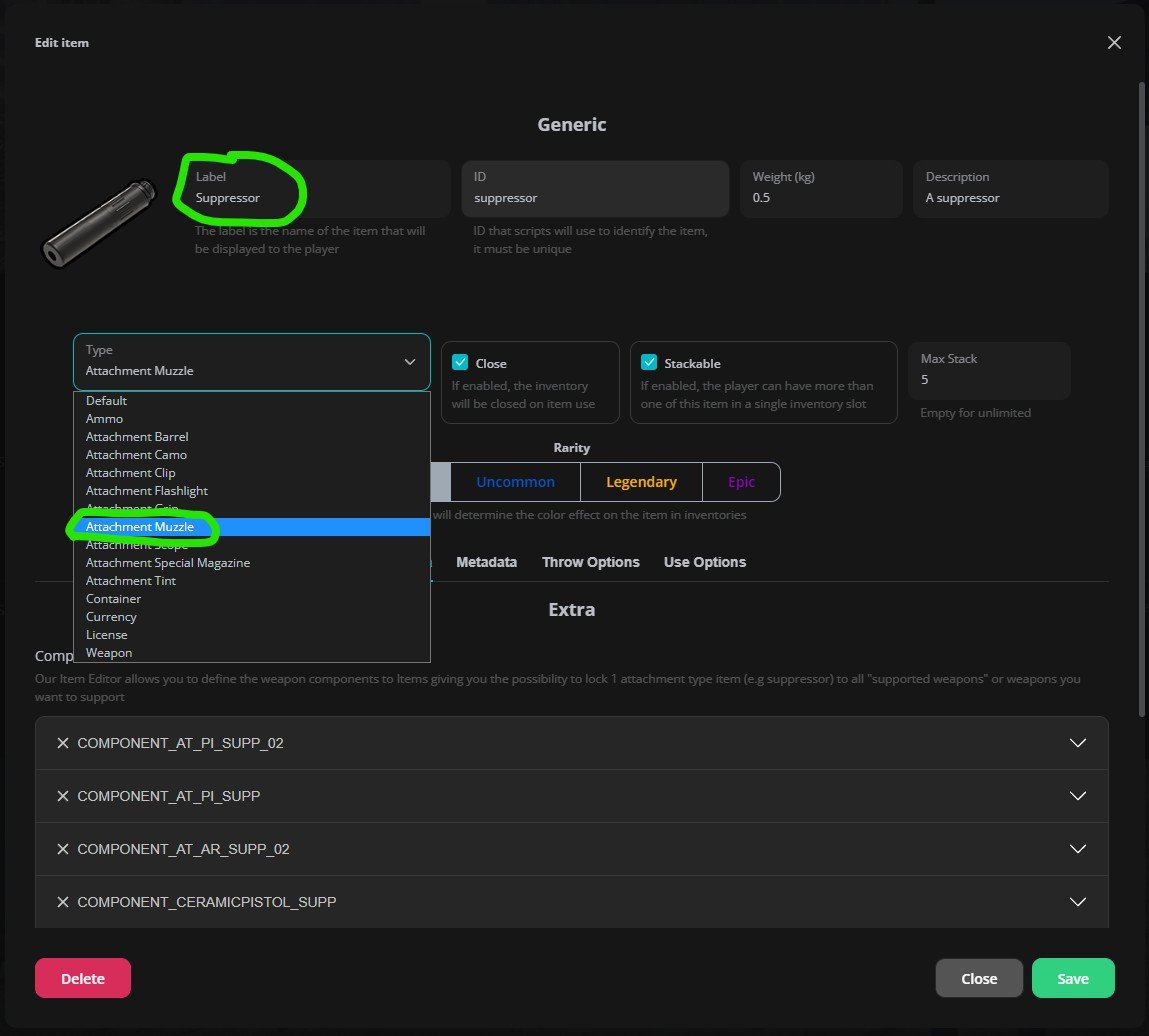
Example with default suppressor
Step 2: Add component hashes
Now you need to add the component hash(es) that this item should apply to weapons. Where to find component hashes:- Vanilla GTA weapons
- Modded weapons
- Check the wiki
- Or search online for “GTA V weapon components list”
1
Open the Component Hashes section
In the item edit screen for the attachment item, find the “Component Hashes” section.
2
Add a hash
Click “Add Component Hash”.
3
Enter the hash
Enter the component hash (e.g.,
COMPONENT_AT_PI_SUPP).4
Repeat
Repeat for all components you want this attachment to work with.
The menu will show you what weapons are compatible with each component hash you add.
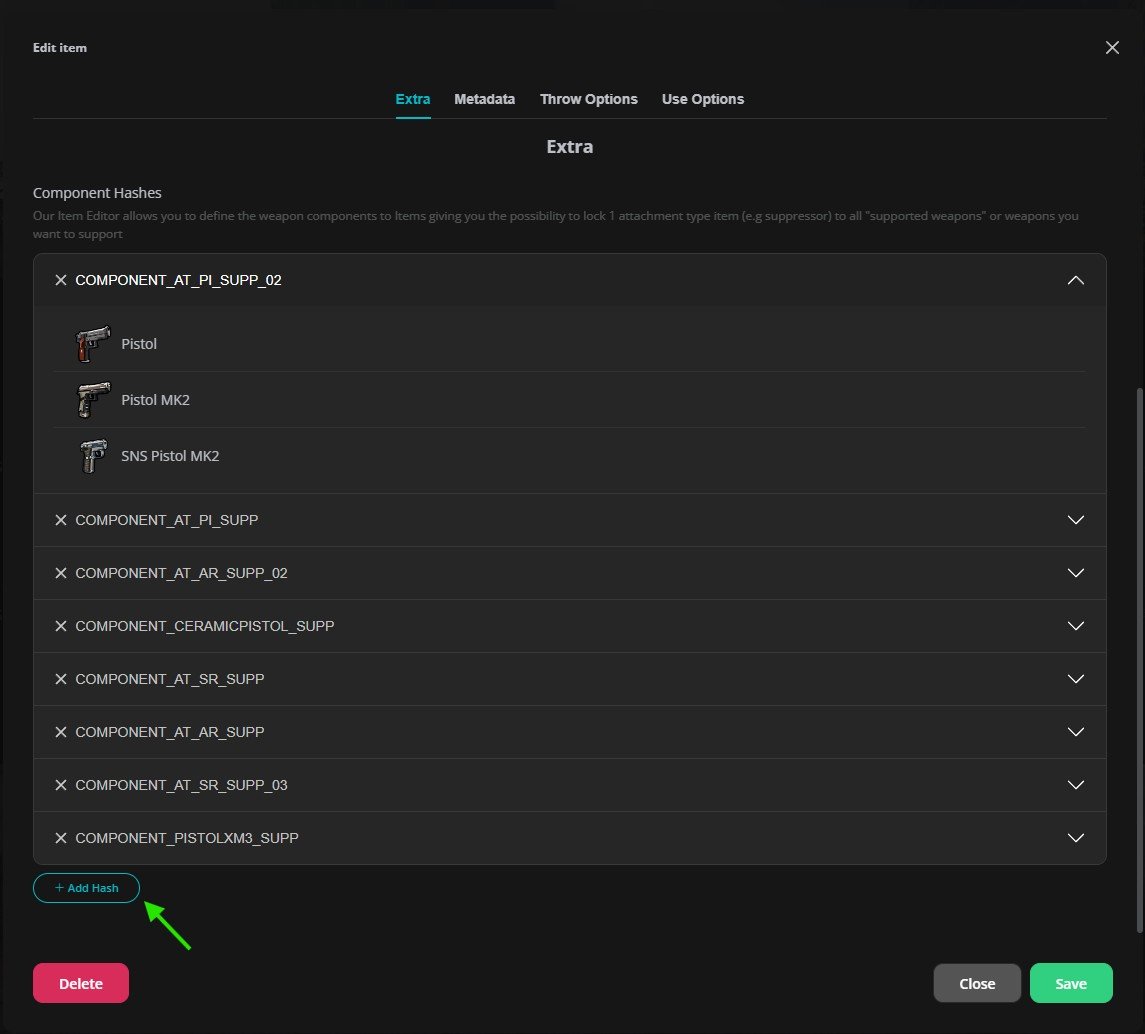
Edit item hashes list example
Step 3: Test in-game
1
Give yourself the item
/giveitem [your_id] [item_name] 1 or through omnipack (F1 while inventory is open).2
Give yourself a weapon
Give yourself a compatible weapon.
3
Attach it
Try to attach the component.
Complete Example
Let’s say you want to add a suppressor for a modded weapon called “WEAPON_MODDEDAK47”:1
Check existing items
Open
/inventory and search for “suppressor” - it exists!2
Edit the item
Click edit on the suppressor item.
3
Add the hash
Add
COMPONENT_MODDEDAK47_SUPP to the component hashes list.4
Save
Save the item.
5
Test
Give yourself the suppressor and the modded AK47, then try attaching it.