
How to show metadata to players
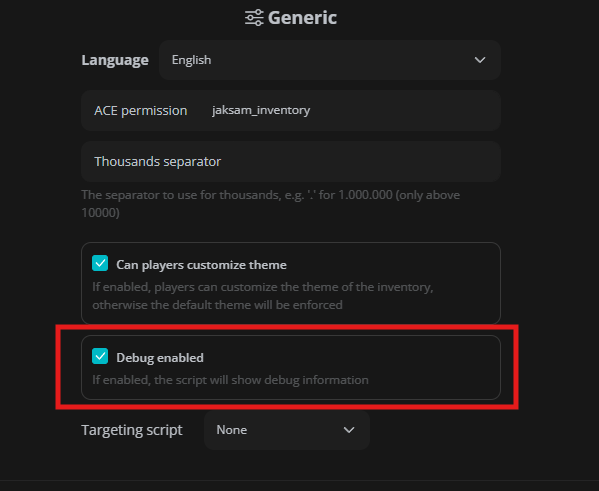
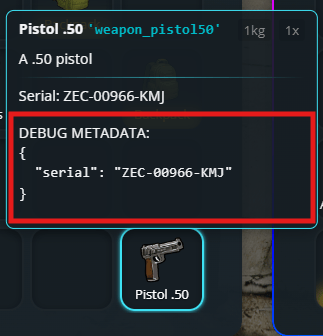
Showing specific metadata to players is easy. First of all, you’ll need to know what the metadata key is that you want to show. To do so, you can enable “Debug mode” in the/inventory settings menu, then hover the item you want to see the metadata of.
Adding it to a single item
To show players the metadata of a single item, you can add and adapt this code in the single item definition, in thejaksam_inventory/_data/items.lua file:
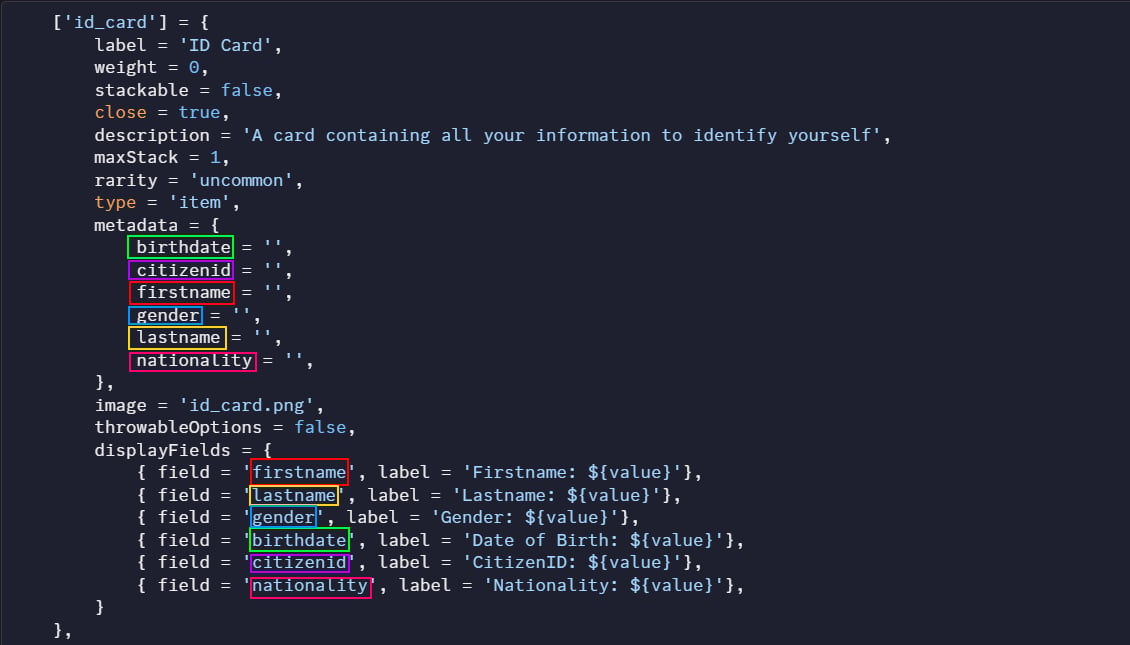
Adding it to all item types
To show players the metadata of an entire item type, it’s 100% the same method, but place it in theScript.defaultsByType table, in the jaksam_inventory/_data/defaults.lua file.
Optional: Making metadata values look nicer
Sometimes you want to show metadata in a prettier way to players. For example, instead of showing “weapon_pistol”, you want to show “Pistol”. This is where formatters come in! You can use built-in formatters or create your own custom ones injaksam_inventory/_data/formatter.lua. Here’s how to use them:
How to set default metadata for items
Want items to have certain metadata values when they’re first created? For example, maybe you want new weapons to start with 50% durability. Here’s how to do it:1
Open the admin menu
Type
/inventory in-game to open the admin menu.2
Find the item
Find and click on the item you want to edit.
3
Open the metadata tab
Click on the “metadata” tab.
4
Set values
Set the metadata values you want.
Advanced - Using templates for dynamic metadata
Sometimes you want metadata that changes based on certain conditions. For this, you can use templates:1
Open the metadata tab
Go to the same metadata tab in the item editor.
2
Switch to template type
Change the metadata type to
template.3
Choose or create a template
Either select an existing template, or create your own in
jaksam_inventory/_data/metadata_templates.lua.Example
Some examples of what you can do with dynamic metadata templates:- Assign a player’s Identification Card their name, birth date, height, etc.
- Assign a random durability to a weapon
- Assign the creation date to an item (the first time the item is created)