
Requirements
- ESX, QBCore, or OX Inventory
Do NOT use FileZilla to upload the files, otherwise the script will NOT work.Use WinSCP instead.
- ESX
- QBCore
- OX Inventory
1
Download and extract
Download the script and extract it in your resources.
2
Add to auto start
Add the script in your auto start (example:
server.cfg).3
Database setup
The script will automatically set up the database. In case it doesn’t, you can manually run the files in the
drugs_creator/sql/ folder.Adding the items — Optional
If you want to use the default items/drugs, follow the steps below.To add the premade items/drugs, you only have to run the filedrugs_creator/sql/items_limit.sql or drugs_creator/sql/items_weight.sql, depending on whether your server uses limit or weight.The latest version of ESX uses weight.
If it doesn’t work, be sure to use the latest official version of ESX with the required dependencies.
1
Download and extract
Download the script and extract it in your resources.
2
Add to auto start
Add the script in your auto start (example:
server.cfg).3
Database setup
The script will automatically set up the database. In case it doesn’t, you can manually run the files in the
drugs_creator/sql/ folder.4
Install menu_default
Download and extract the menu_default script in your resources, without renaming it, and add it to your auto start (example:
server.cfg).Adding the items — Optional
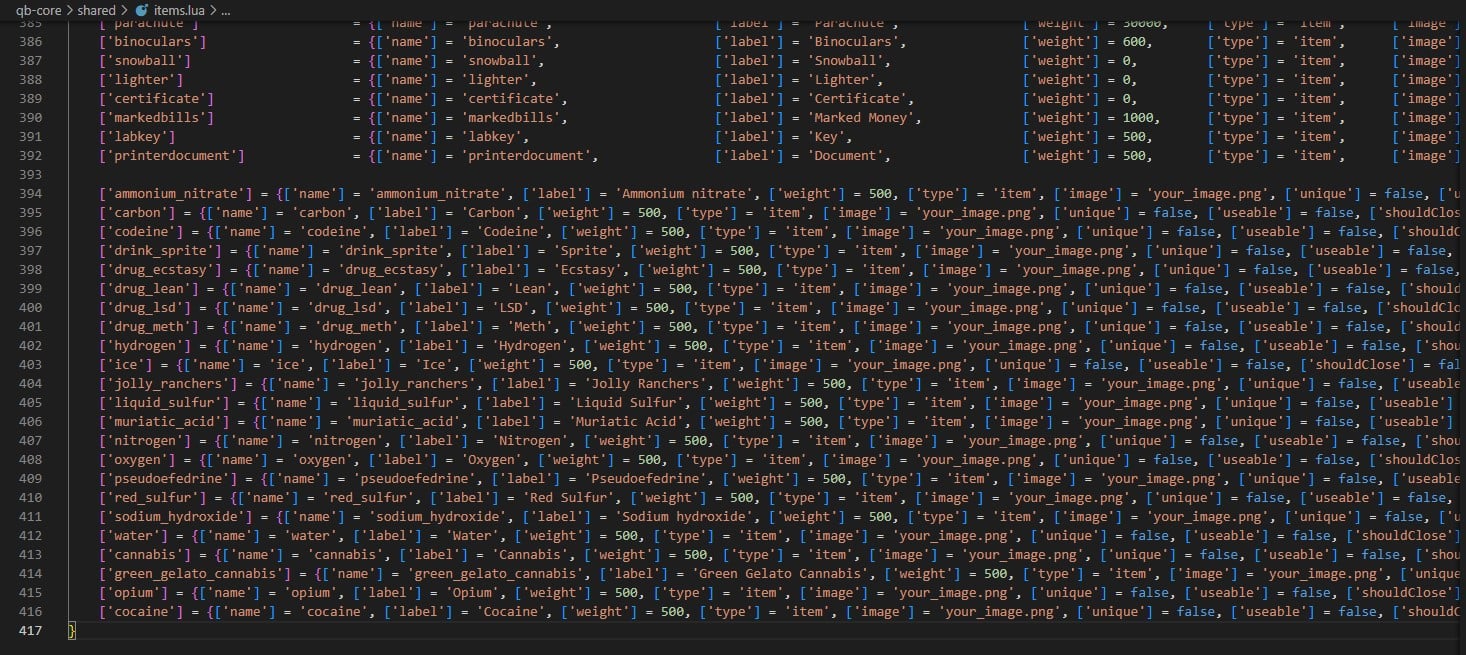
To add the new items, edit theqb-core/shared/items.lua file and add the following code at the bottom of the table:['ammonium_nitrate'] = {['name'] = 'ammonium_nitrate', ['label'] = 'Ammonium nitrate', ['weight'] = 500, ['type'] = 'item', ['image'] = 'ammonium_nitrate.png', ['unique'] = false, ['useable'] = true, ['shouldClose'] = false, ['combinable'] = nil},
['carbon'] = {['name'] = 'carbon', ['label'] = 'Carbon', ['weight'] = 500, ['type'] = 'item', ['image'] = 'carbon.png', ['unique'] = false, ['useable'] = true, ['shouldClose'] = false, ['combinable'] = nil},
['codeine'] = {['name'] = 'codeine', ['label'] = 'Codeine', ['weight'] = 500, ['type'] = 'item', ['image'] = 'codeine.png', ['unique'] = false, ['useable'] = true, ['shouldClose'] = false, ['combinable'] = nil},
['drink_sprite'] = {['name'] = 'drink_sprite', ['label'] = 'Sprite', ['weight'] = 500, ['type'] = 'item', ['image'] = 'drink_sprite.png', ['unique'] = false, ['useable'] = true, ['shouldClose'] = false, ['combinable'] = nil},
['drug_ecstasy'] = {['name'] = 'drug_ecstasy', ['label'] = 'Ecstasy', ['weight'] = 500, ['type'] = 'item', ['image'] = 'drug_ecstasy.png', ['unique'] = false, ['useable'] = true, ['shouldClose'] = false, ['combinable'] = nil},
['drug_lean'] = {['name'] = 'drug_lean', ['label'] = 'Lean', ['weight'] = 500, ['type'] = 'item', ['image'] = 'drug_lean.png', ['unique'] = false, ['useable'] = true, ['shouldClose'] = false, ['combinable'] = nil},
['drug_lsd'] = {['name'] = 'drug_lsd', ['label'] = 'LSD', ['weight'] = 500, ['type'] = 'item', ['image'] = 'drug_lsd.png', ['unique'] = false, ['useable'] = true, ['shouldClose'] = false, ['combinable'] = nil},
['drug_meth'] = {['name'] = 'drug_meth', ['label'] = 'Meth', ['weight'] = 500, ['type'] = 'item', ['image'] = 'drug_meth.png', ['unique'] = false, ['useable'] = true, ['shouldClose'] = false, ['combinable'] = nil},
['hydrogen'] = {['name'] = 'hydrogen', ['label'] = 'Hydrogen', ['weight'] = 500, ['type'] = 'item', ['image'] = 'hydrogen.png', ['unique'] = false, ['useable'] = true, ['shouldClose'] = false, ['combinable'] = nil},
['ice'] = {['name'] = 'ice', ['label'] = 'Ice', ['weight'] = 500, ['type'] = 'item', ['image'] = 'ice.png', ['unique'] = false, ['useable'] = true, ['shouldClose'] = false, ['combinable'] = nil},
['jolly_ranchers'] = {['name'] = 'jolly_ranchers', ['label'] = 'Jolly Ranchers', ['weight'] = 500, ['type'] = 'item', ['image'] = 'jolly_ranchers.png', ['unique'] = false, ['useable'] = true, ['shouldClose'] = false, ['combinable'] = nil},
['liquid_sulfur'] = {['name'] = 'liquid_sulfur', ['label'] = 'Liquid Sulfur', ['weight'] = 500, ['type'] = 'item', ['image'] = 'liquid_sulfur.png', ['unique'] = false, ['useable'] = true, ['shouldClose'] = false, ['combinable'] = nil},
['muriatic_acid'] = {['name'] = 'muriatic_acid', ['label'] = 'Muriatic Acid', ['weight'] = 500, ['type'] = 'item', ['image'] = 'muriatic_acid.png', ['unique'] = false, ['useable'] = true, ['shouldClose'] = false, ['combinable'] = nil},
['nitrogen'] = {['name'] = 'nitrogen', ['label'] = 'Nitrogen', ['weight'] = 500, ['type'] = 'item', ['image'] = 'nitrogen.png', ['unique'] = false, ['useable'] = true, ['shouldClose'] = false, ['combinable'] = nil},
['oxygen'] = {['name'] = 'oxygen', ['label'] = 'Oxygen', ['weight'] = 500, ['type'] = 'item', ['image'] = 'oxygen.png', ['unique'] = false, ['useable'] = true, ['shouldClose'] = false, ['combinable'] = nil},
['pseudoefedrine'] = {['name'] = 'pseudoefedrine', ['label'] = 'Pseudoefedrine', ['weight'] = 500, ['type'] = 'item', ['image'] = 'pseudoefedrine.png', ['unique'] = false, ['useable'] = true, ['shouldClose'] = false, ['combinable'] = nil},
['red_sulfur'] = {['name'] = 'red_sulfur', ['label'] = 'Red Sulfur', ['weight'] = 500, ['type'] = 'item', ['image'] = 'red_sulfur.png', ['unique'] = false, ['useable'] = true, ['shouldClose'] = false, ['combinable'] = nil},
['sodium_hydroxide'] = {['name'] = 'sodium_hydroxide', ['label'] = 'Sodium hydroxide', ['weight'] = 500, ['type'] = 'item', ['image'] = 'sodium_hydroxide.png', ['unique'] = false, ['useable'] = true, ['shouldClose'] = false, ['combinable'] = nil},
['water'] = {['name'] = 'water', ['label'] = 'Water', ['weight'] = 500, ['type'] = 'item', ['image'] = 'water.png', ['unique'] = false, ['useable'] = true, ['shouldClose'] = false, ['combinable'] = nil},
['cannabis'] = {['name'] = 'cannabis', ['label'] = 'Cannabis', ['weight'] = 500, ['type'] = 'item', ['image'] = 'cannabis.png', ['unique'] = false, ['useable'] = true, ['shouldClose'] = false, ['combinable'] = nil},
['green_gelato_cannabis'] = {['name'] = 'green_gelato_cannabis', ['label'] = 'Green Gelato Cannabis', ['weight'] = 500, ['type'] = 'item', ['image'] = 'green_gelato_cannabis.png', ['unique'] = false, ['useable'] = true, ['shouldClose'] = false, ['combinable'] = nil},
['opium'] = {['name'] = 'opium', ['label'] = 'Opium', ['weight'] = 500, ['type'] = 'item', ['image'] = 'opium.png', ['unique'] = false, ['useable'] = true, ['shouldClose'] = false, ['combinable'] = nil},
['cocaine'] = {['name'] = 'cocaine', ['label'] = 'Cocaine', ['weight'] = 500, ['type'] = 'item', ['image'] = 'cocaine.png', ['unique'] = false, ['useable'] = true, ['shouldClose'] = false, ['combinable'] = nil},
['meth_raw'] = {['name'] = 'meth_raw', ['label'] = 'Raw Meth', ['weight'] = 500, ['type'] = 'item', ['image'] = 'meth_raw.png', ['unique'] = false, ['useable'] = true, ['shouldClose'] = false, ['combinable'] = nil},
['meth_processed'] = {['name'] = 'meth_processed', ['label'] = 'Processed Meth', ['weight'] = 500, ['type'] = 'item', ['image'] = 'meth_processed.png', ['unique'] = false, ['useable'] = true, ['shouldClose'] = false, ['combinable'] = nil},
['meth'] = {['name'] = 'meth', ['label'] = 'Meth', ['weight'] = 500, ['type'] = 'item', ['image'] = 'meth.png', ['unique'] = false, ['useable'] = true, ['shouldClose'] = false, ['combinable'] = nil},
['cocaine_raw'] = {['name'] = 'cocaine_raw', ['label'] = 'Raw Cocaine', ['weight'] = 500, ['type'] = 'item', ['image'] = 'cocaine_raw.png', ['unique'] = false, ['useable'] = true, ['shouldClose'] = false, ['combinable'] = nil},
['cocaine_packaged'] = {['name'] = 'cocaine_packaged', ['label'] = 'Packaged Cocaine', ['weight'] = 500, ['type'] = 'item', ['image'] = 'cocaine_packaged.png', ['unique'] = false, ['useable'] = true, ['shouldClose'] = false, ['combinable'] = nil},
['trap_phone'] = {['name'] = 'trap_phone', ['label'] = 'Trap Phone', ['weight'] = 500, ['type'] = 'item', ['image'] = 'trap_phone.png', ['unique'] = true, ['useable'] = true, ['shouldClose'] = true, ['combinable'] = nil},
Here’s a list of items to use with OX Inventory. You can even use it with jaksam’s inventory, in the “import from code” setting.
['ammonium_nitrate'] = {
    label = 'Ammonium nitrate',
    weight = 500,
    stack = true,
    close = false,
},

['carbon'] = {
    label = 'Carbon',
    weight = 500,
    stack = true,
    close = false,
},

['codeine'] = {
    label = 'Codeine',
    weight = 500,
    stack = true,
    close = false,
},

['drink_sprite'] = {
    label = 'Sprite',
    weight = 500,
    stack = true,
    close = false,
},

['drug_ecstasy'] = {
    label = 'Ecstasy',
    weight = 500,
    stack = true,
    close = false,
},

['drug_lean'] = {
    label = 'Lean',
    weight = 500,
    stack = true,
    close = false,
},

['drug_lsd'] = {
    label = 'LSD',
    weight = 500,
    stack = true,
    close = false,
},

['drug_meth'] = {
    label = 'Meth',
    weight = 500,
    stack = true,
    close = false,
},

['hydrogen'] = {
    label = 'Hydrogen',
    weight = 500,
    stack = true,
    close = false,
},

['ice'] = {
    label = 'Ice',
    weight = 500,
    stack = true,
    close = false,
},

['jolly_ranchers'] = {
    label = 'Jolly Ranchers',
    weight = 500,
    stack = true,
    close = false,
},

['liquid_sulfur'] = {
    label = 'Liquid Sulfur',
    weight = 500,
    stack = true,
    close = false,
},

['muriatic_acid'] = {
    label = 'Muriatic Acid',
    weight = 500,
    stack = true,
    close = false,
},

['nitrogen'] = {
    label = 'Nitrogen',
    weight = 500,
    stack = true,
    close = false,
},

['oxygen'] = {
    label = 'Oxygen',
    weight = 500,
    stack = true,
    close = false,
},

['pseudoefedrine'] = {
    label = 'Pseudoefedrine',
    weight = 500,
    stack = true,
    close = false,
},

['red_sulfur'] = {
    label = 'Red Sulfur',
    weight = 500,
    stack = true,
    close = false,
},

['sodium_hydroxide'] = {
    label = 'Sodium hydroxide',
    weight = 500,
    stack = true,
    close = false,
},

['water'] = {
    label = 'Water',
    weight = 500,
    stack = true,
    close = false,
},

['cannabis'] = {
    label = 'Cannabis',
    weight = 500,
    stack = true,
    close = false,
},

['green_gelato_cannabis'] = {
    label = 'Green Gelato Cannabis',
    weight = 500,
    stack = true,
    close = false,
},

['opium'] = {
    label = 'Opium',
    weight = 500,
    stack = true,
    close = false,
},

['cocaine'] = {
    label = 'Cocaine',
    weight = 500,
    stack = true,
    close = false,
},

['meth_raw'] = {
    label = 'Raw Meth',
    weight = 500,
    stack = true,
    close = false,
},

['meth_processed'] = {
    label = 'Processed Meth',
    weight = 500,
    stack = true,
    close = false,
},

['meth'] = {
    label = 'Meth',
    weight = 500,
    stack = true,
    close = false,
},

['cocaine_raw'] = {
    label = 'Raw Cocaine',
    weight = 500,
    stack = true,
    close = false,
},

['cocaine_packaged'] = {
    label = 'Packaged Cocaine',
    weight = 500,
    stack = true,
    close = false,
},

['trap_phone'] = {
    label = 'Trap Phone',
    weight = 500,
    stack = false,
    close = true,
},
Verification
Open/drugscreator in-game. If the menu opens, the script is running correctly.
Optional step
After the database is set up correctly, you can delete the files in thedrugs_creator/sql/ folder, so the script won’t try to set up the database each time you start it.