
Requirements
- ESX, QBCore, or OX Inventory
- The cracking safe script by VHall1
- The lockpicking script by baguscodestudio
- Optional minigame scripts (see below) if you want to use them
Do NOT use FileZilla to upload the files, otherwise the script will NOT work.Use WinSCP instead.
- ESX
- QBCore
- OX Inventory
1
Download and extract
Download the script and extract it in your resources.
2
Add to auto start
Add the script in your auto start (example:
server.cfg).3
Database setup
The script will automatically set up the database. In case it doesn’t, you can manually run the files in the
robberies_creator/sql/ folder.4
Cracking safe script
Download and start the cracking safe script (credits to VHall1).
5
Lockpicking script
Download and start the lockpicking script (credits to baguscodestudio).
6
Optional minigame scripts
- Download and start the datacrack minigame script (credits to utkuali)
- Download and start the fingerprint minigame script (credits to utkuali)
- Download and start the memory minigame script (credits to ultrahacx)
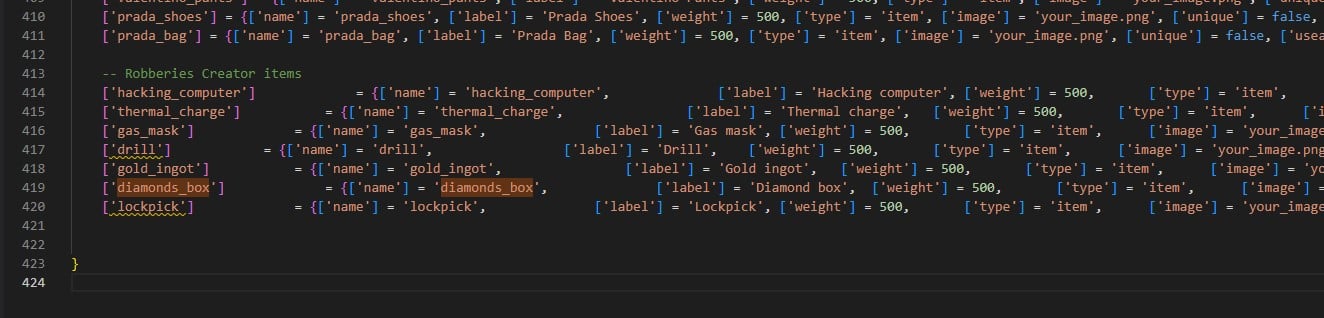
Adding the items — Optional
To add the premade items, you only have to run the filerobberies_creator/sql/items_limit.sql or robberies_creator/sql/items_weight.sql, depending on whether your server uses limit or weight.The latest version of ESX uses weight.
If it doesn’t work, be sure to use the latest official version of ESX with the required dependencies.
Verification
Open/robberiescreator in-game. If the menu opens, the script is running correctly.
Optional step
After the database is set up correctly, you can delete the files inrobberies_creator/sql/ folder, so the script won’t try to set up the database each time you start it.