Generic script
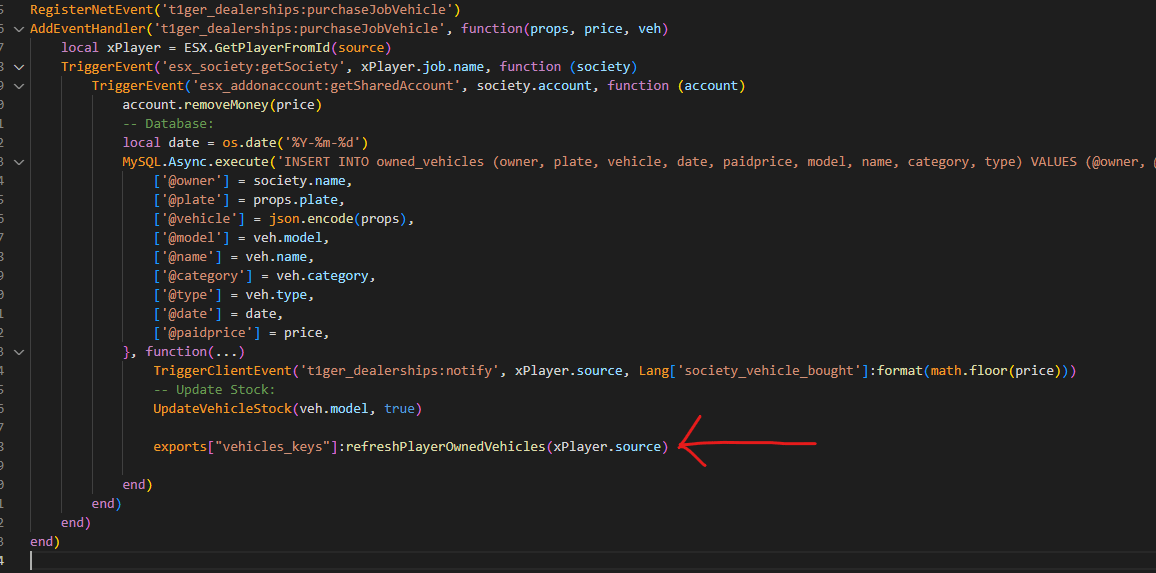
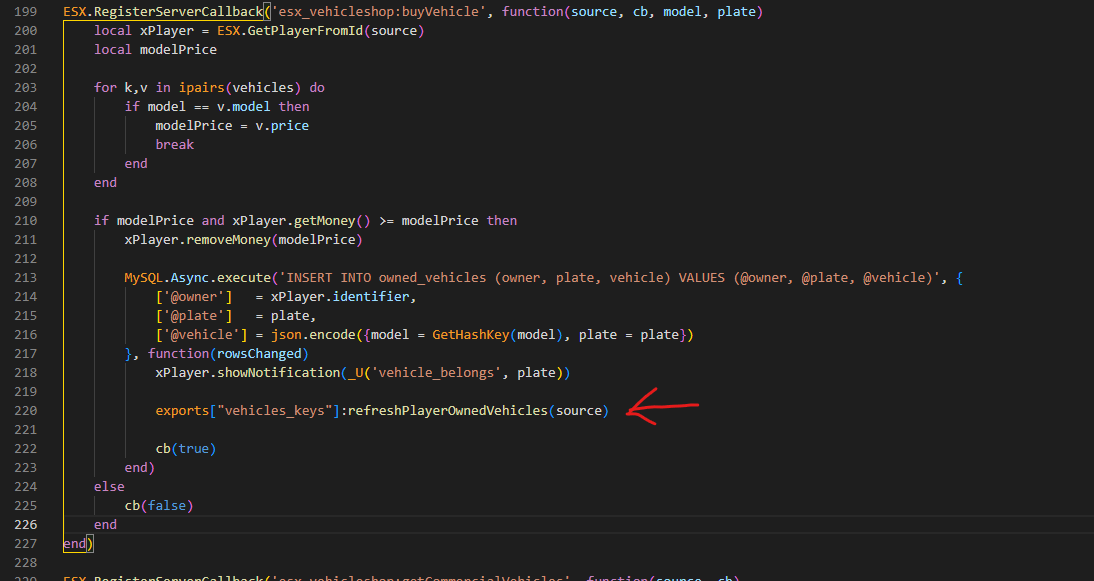
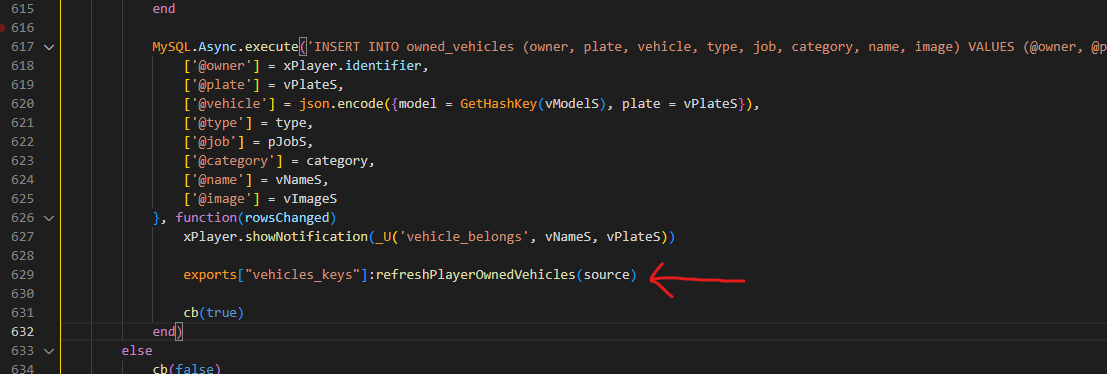
If you have to hotwire a vehicle right after purchasing it, add this simple line of code to your script, after the vehicle has been added to theowned_vehicles / player_vehicles table (depending on the framework).
You may want to add a Citizen.Wait(2000) before that line, in case the vehicle wasn’t yet in the table at the moment you triggered the event.
esx_vehicleshop
First step
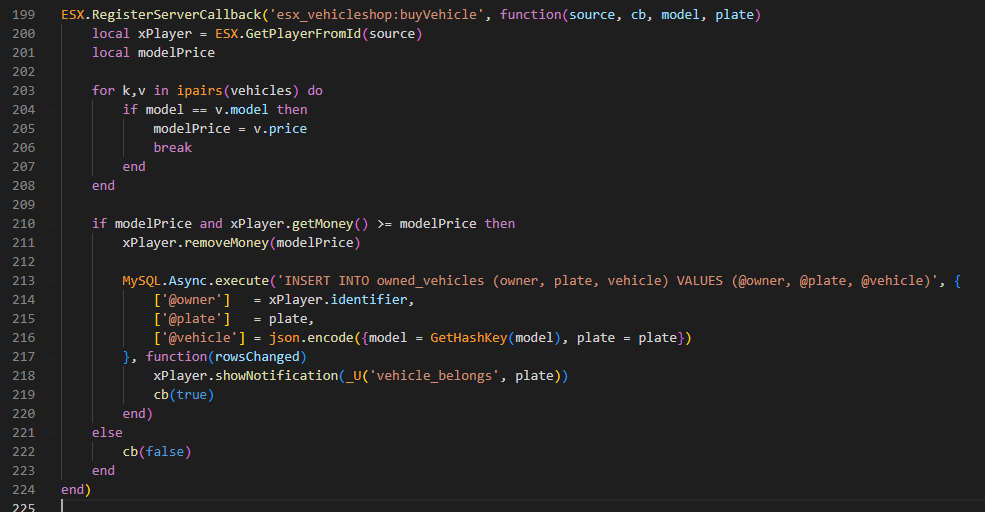
Go toesx_vehicleshop/server/main.lua and search for the following code:
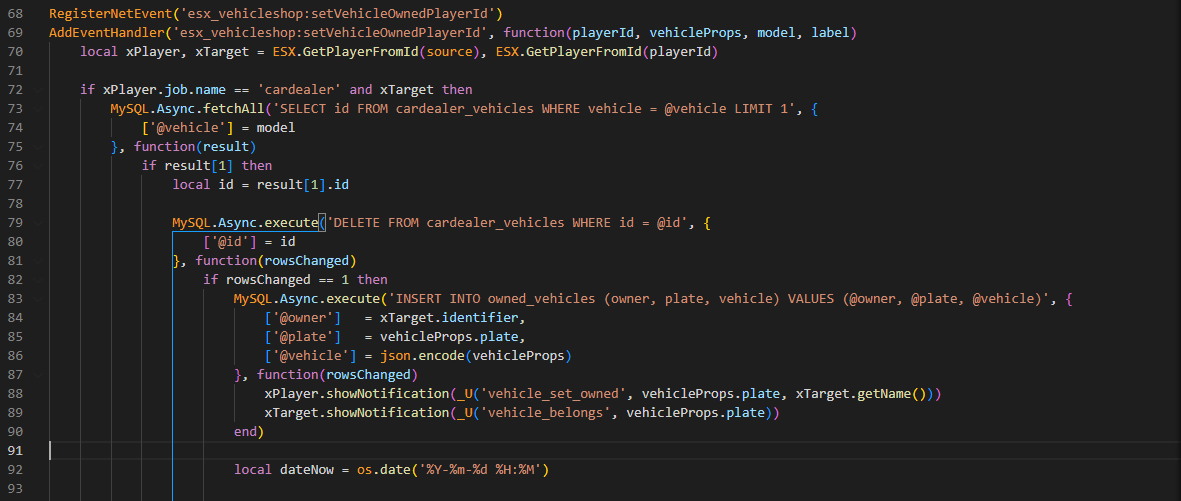
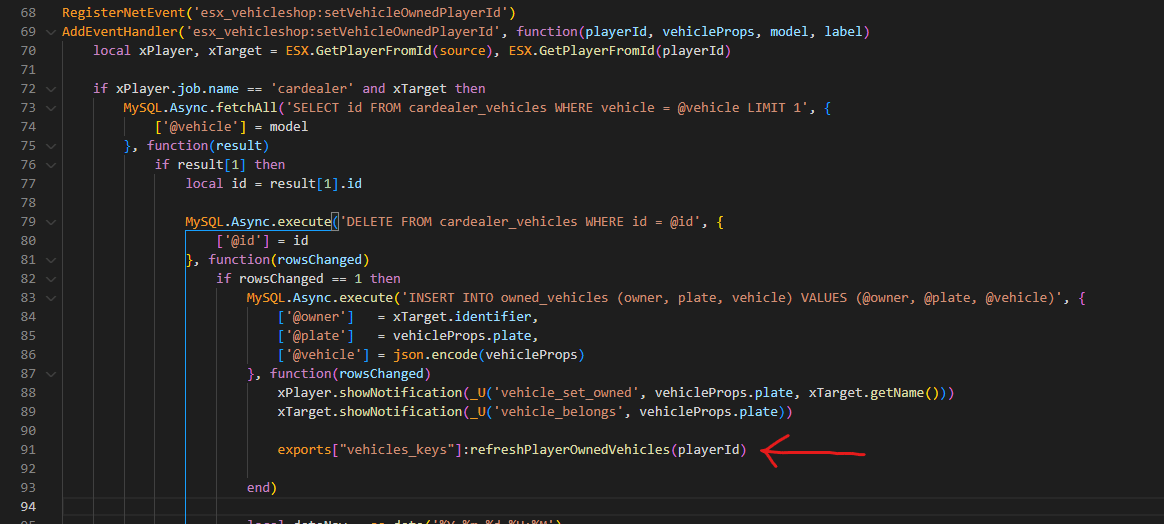
Second step
Go toesx_vehicleshop/server/main.lua (the same file as before) and search for the following code:
esx_advancedvehicleshop
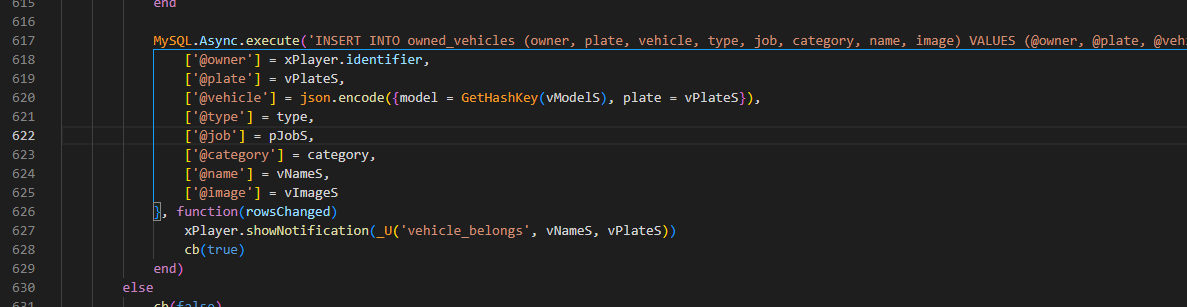
Go toesx_advancedvehicleshop/server/main.lua and search for the following code:
qb-vehicleshop
First step
Go toqb-vehicleshop/server.lua and add the following code after all exports.oxmysql:insert calls.
In the example it’s shown only once, but you have to add it multiple times.
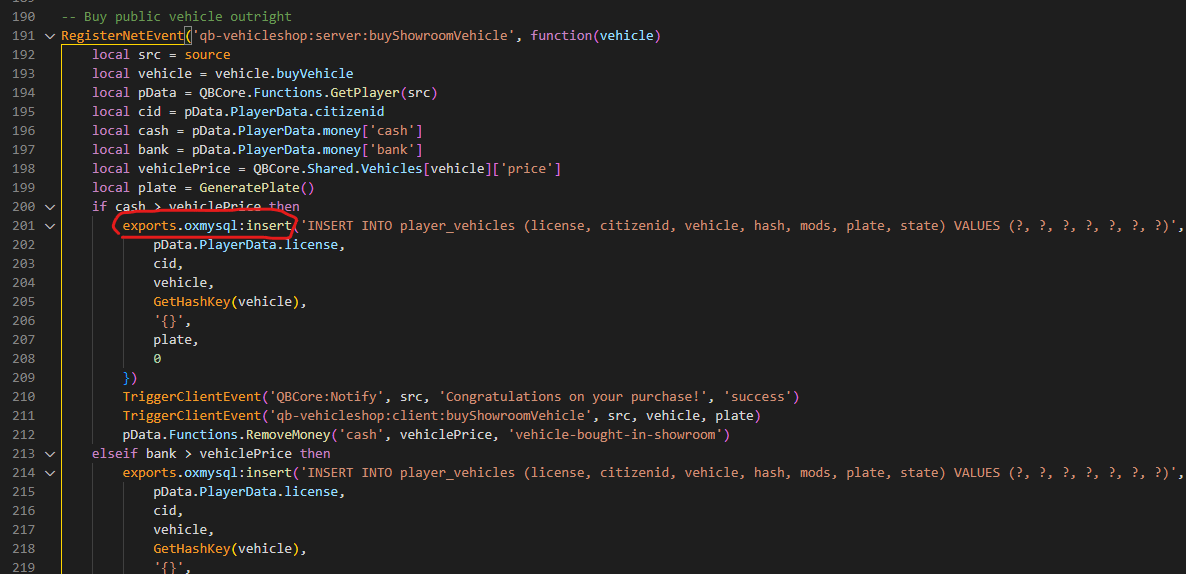
pData with something else. Here it shows where to add the code and what pData depends on.
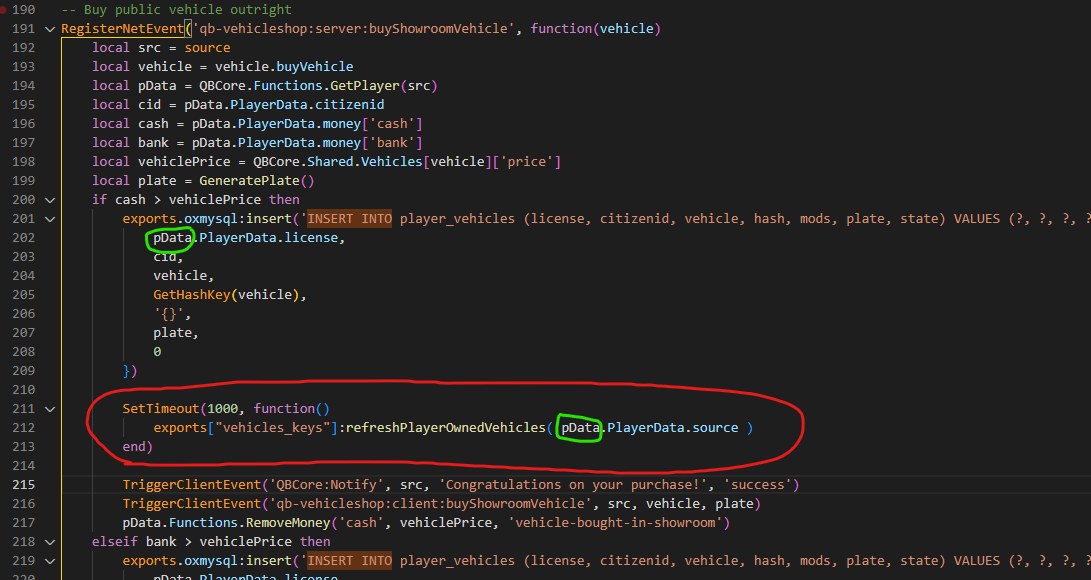
The green circles shown in the screenshot must match — so if the first one is, for example,
targetPlayer, the second one must be targetPlayer as well.Second step
Go toqb-vehicleshop/server.lua (the same file as before) and replace all these events (they’re at the bottom of the file):
okokVehicleShop
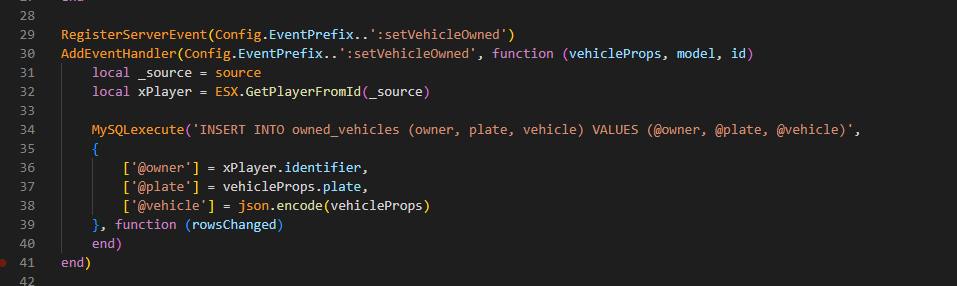
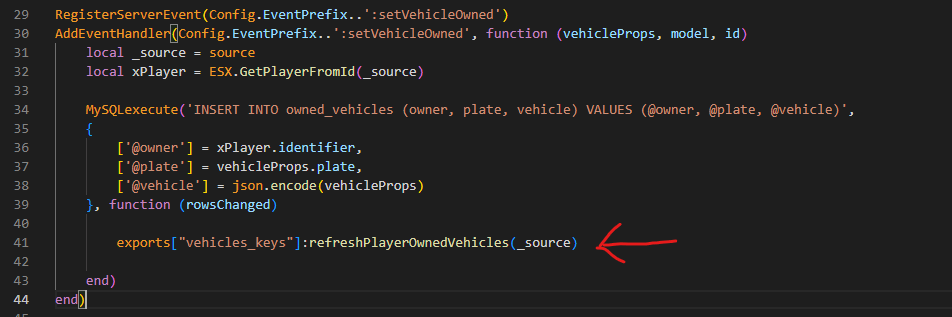
Go tookokVehicleShop/sv_utils.lua and search for the following code:
s4-vehicleshop
Go tos4-vehicleshop/server.lua and search for the following code:
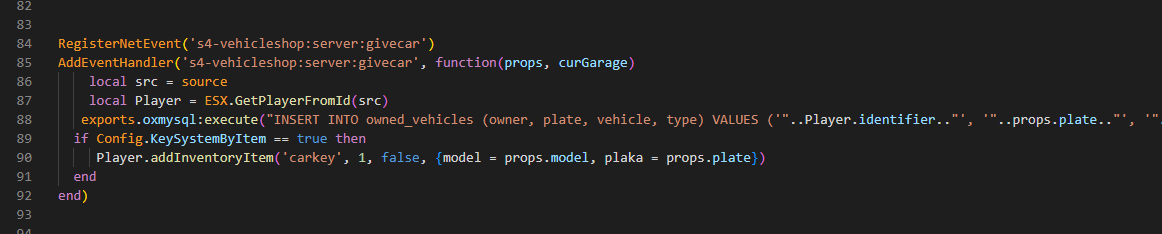
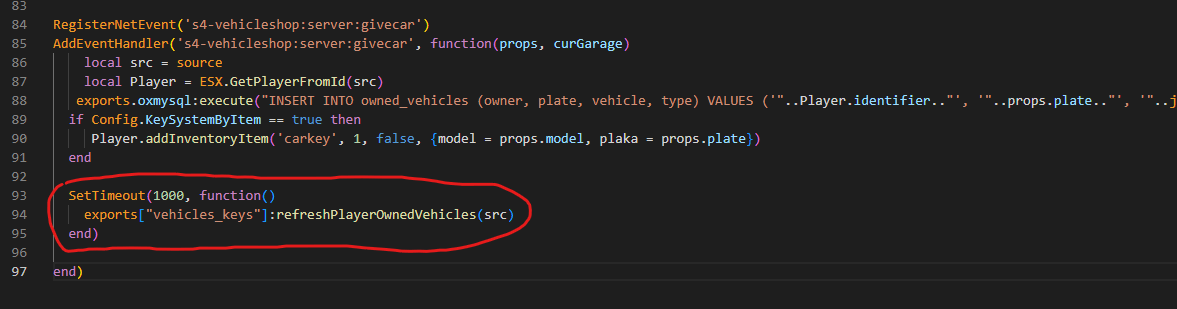
This code works for both oxmysql and ghmattimysql versions.
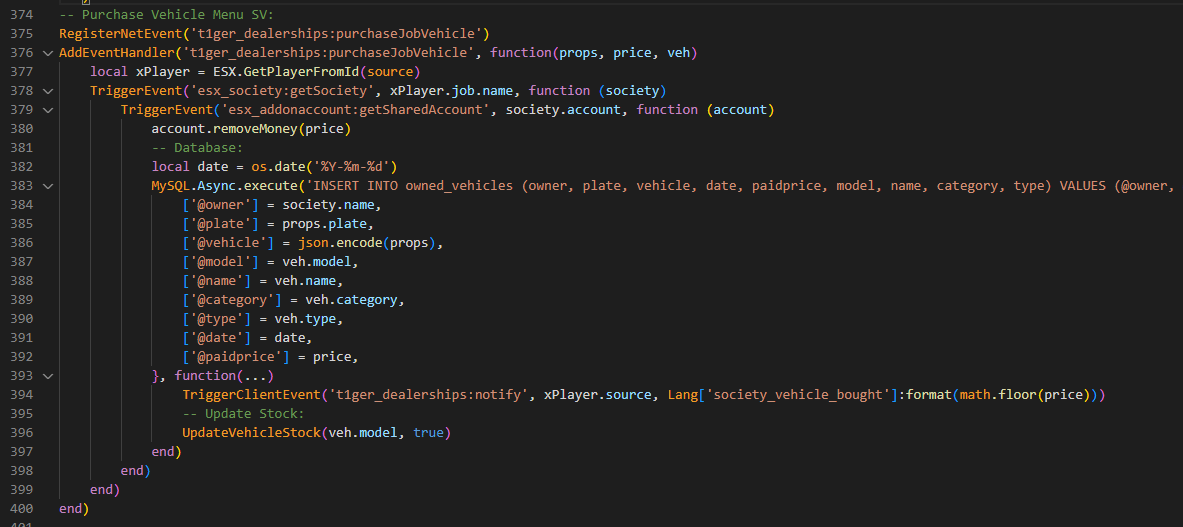
t1ger_dealerships
First step
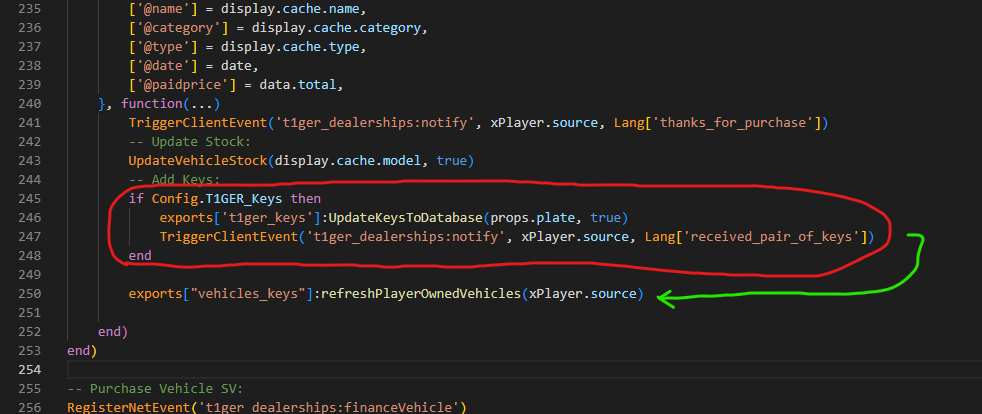
Go tot1ger_dealerships/server/main.lua and add the following line below all occurrences (more than one) of the code shown in the example:

Second step
Go tot1ger_dealerships/server/main.lua (the same file as before) and search for the following code: