Item check
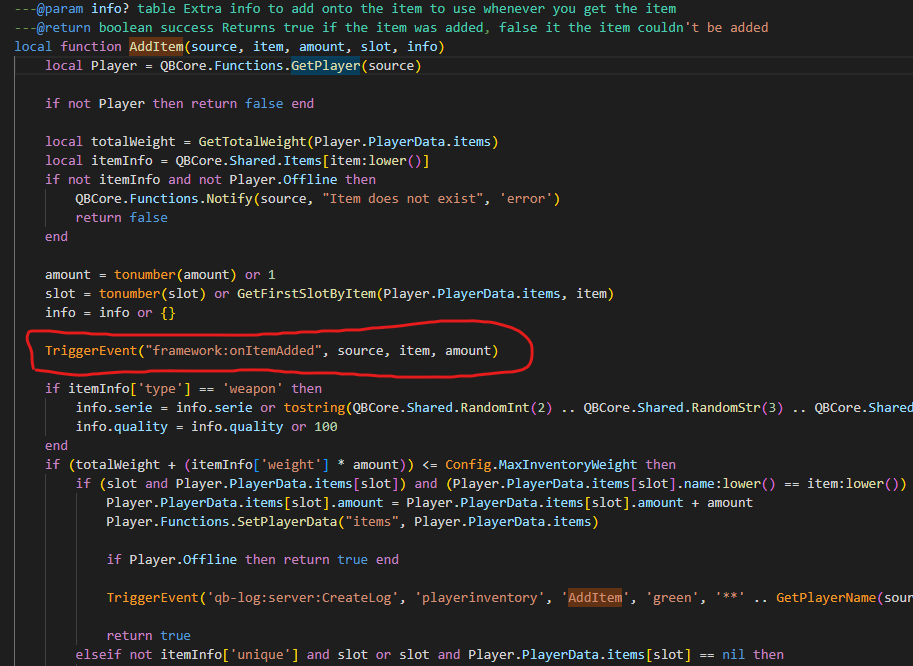
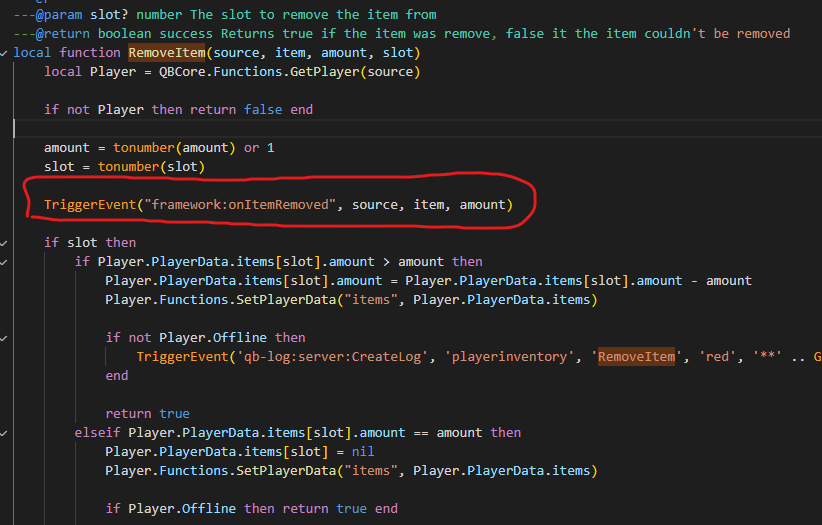
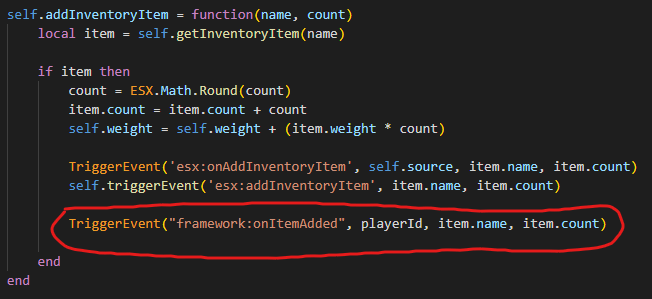
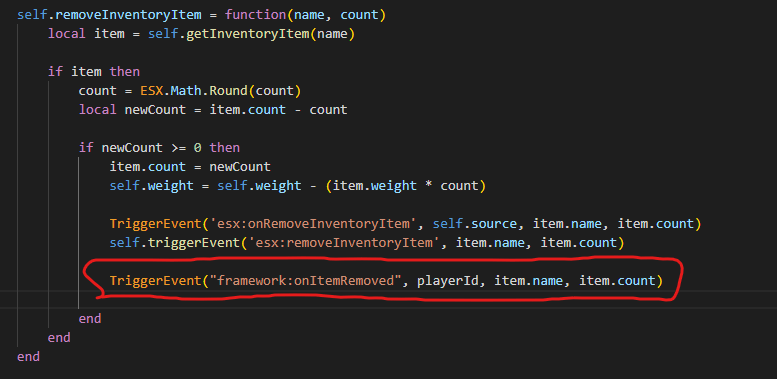
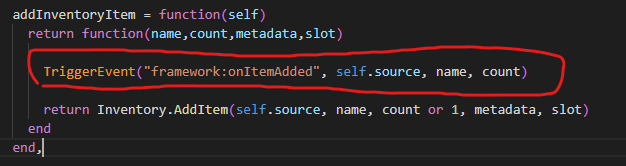
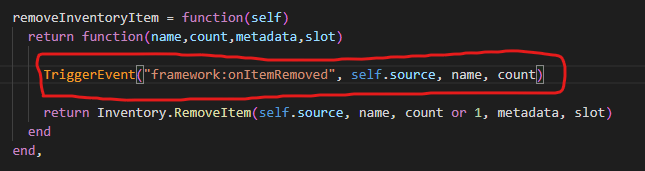
Use these server-side events right after any item addition/removal. They can be used anywhere, as long as you replace the parameters with the proper ones.Examples
If you use something that is not listed in the examples, editing it is up to you — the events listed above work anywhere if used properly.
ESX
Default ESX already has
esx:onAddInventoryItem and esx:onRemoveInventoryItem, which means you won’t need to add anything. Only follow the example below if you don’t have those events for any reason.es_extended/server/classes/player.lua and add the following code:
OX Inventory (ESX)
Go toes_extended/server/classes/overrides/oxinventory.lua and add the following code:
QBCore (latest version)
Go toqb-inventory/server/main.lua and add the following code: