> ## Documentation Index
> Fetch the complete documentation index at: https://docs.jaksam-scripts.com/llms.txt
> Use this file to discover all available pages before exploring further.
# Optimization
> Hook into your inventory's item events to improve Trackers Creator performance.
This page shows you how to optimize the script. Following all the instructions below will improve the script's performance.
## Item check
Use these **server-side** events right after any item addition/removal. They can be used anywhere, as long as you replace the parameters with the proper ones.
```lua theme={null}
TriggerEvent("framework:onItemAdded", playerId, itemName, itemCount)
```
```lua theme={null}
TriggerEvent("framework:onItemRemoved", playerId, itemName, itemCount)
```
### Examples
If you use something that is not listed in the examples, editing it is up to you — the events listed above work anywhere if used properly.
#### ESX
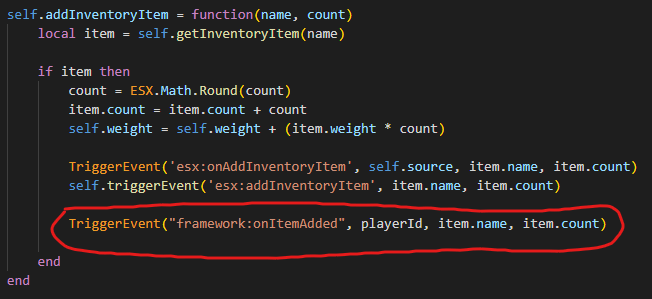
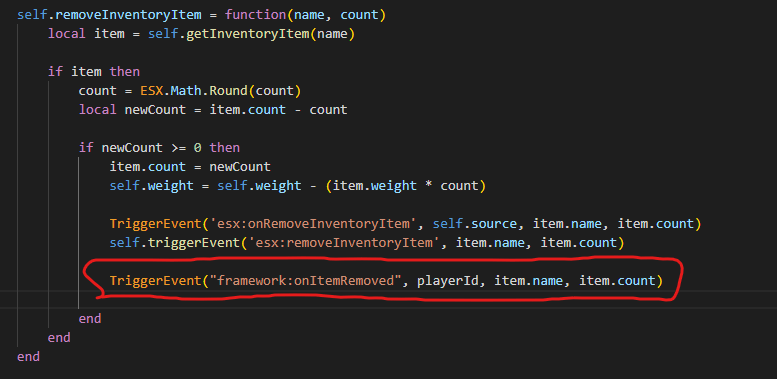
Default ESX already has `esx:onAddInventoryItem` and `esx:onRemoveInventoryItem`, which means you won't need to add anything. Only follow the example below if you don't have those events for any reason.
Go to `es_extended/server/classes/player.lua` and add the following code:
 #### OX Inventory (ESX)
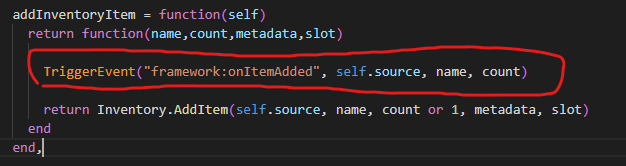
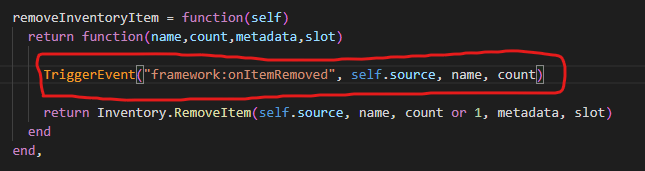
Go to `es_extended/server/classes/overrides/oxinventory.lua` and add the following code:
#### OX Inventory (ESX)
Go to `es_extended/server/classes/overrides/oxinventory.lua` and add the following code:
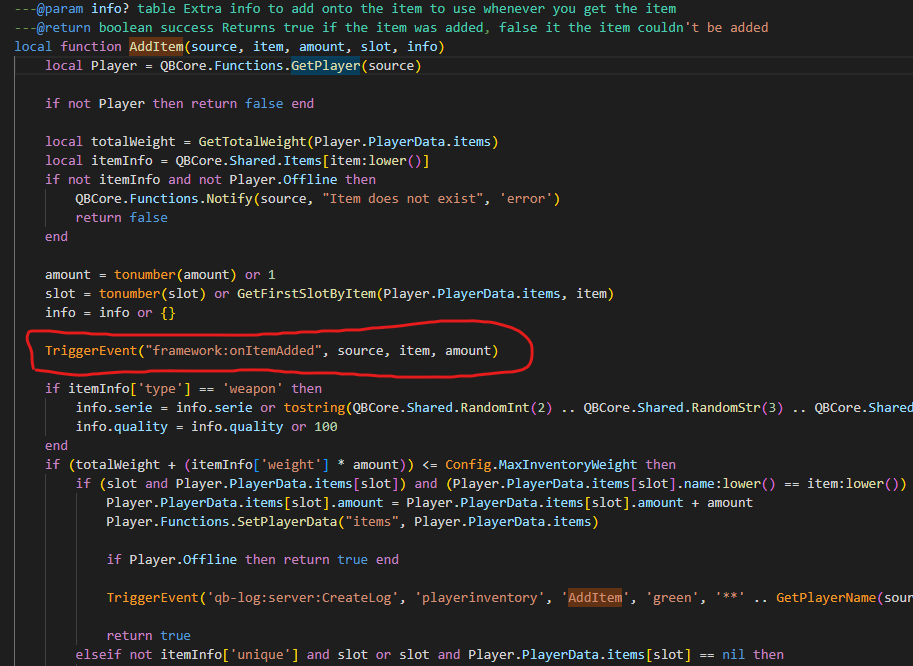
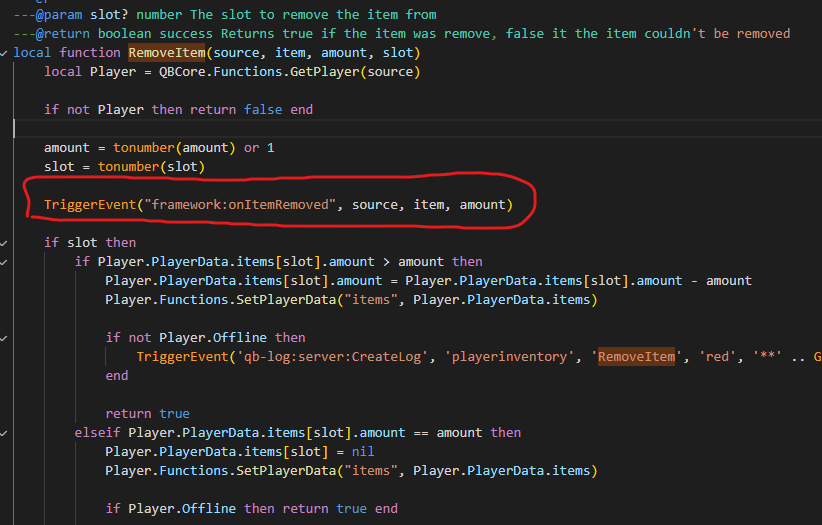
 #### QBCore (latest version)
Go to `qb-inventory/server/main.lua` and add the following code:
#### QBCore (latest version)
Go to `qb-inventory/server/main.lua` and add the following code:
 ## Related topics
- [FAQ](/trackers-creator/faq.md)
- [Trackers Creator](/trackers-creator/home.md)
## Related topics
- [FAQ](/trackers-creator/faq.md)
- [Trackers Creator](/trackers-creator/home.md)