> ## Documentation Index
> Fetch the complete documentation index at: https://docs.jaksam-scripts.com/llms.txt
> Use this file to discover all available pages before exploring further.
# Customize Default Theme
> Set a custom default theme for all players on your server, step-by-step
Want every player to have the same default theme? Here's how to do it, step-by-step.
Press **F2** in-game to open your inventory.
Click the **Theme** button (bottom right corner).
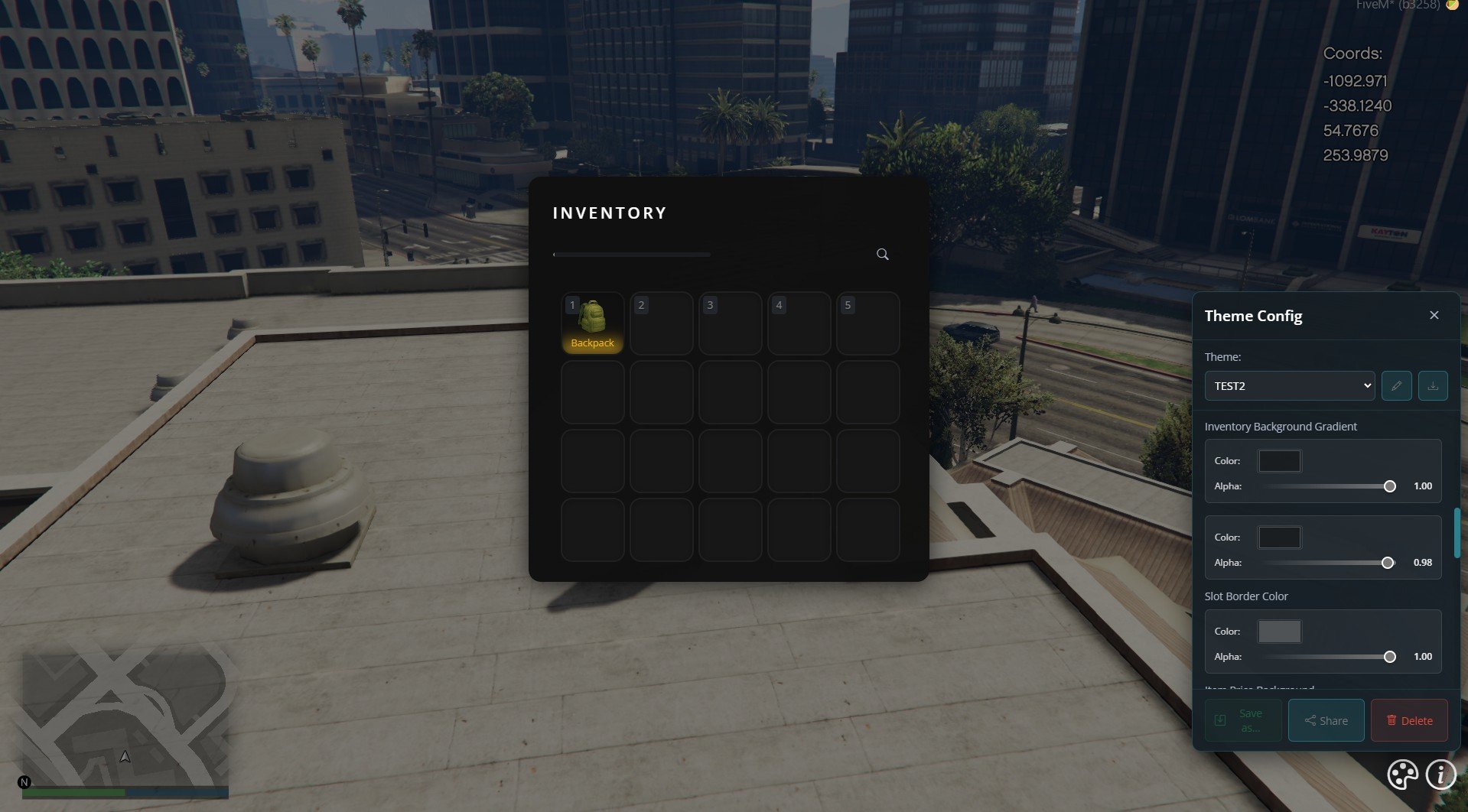
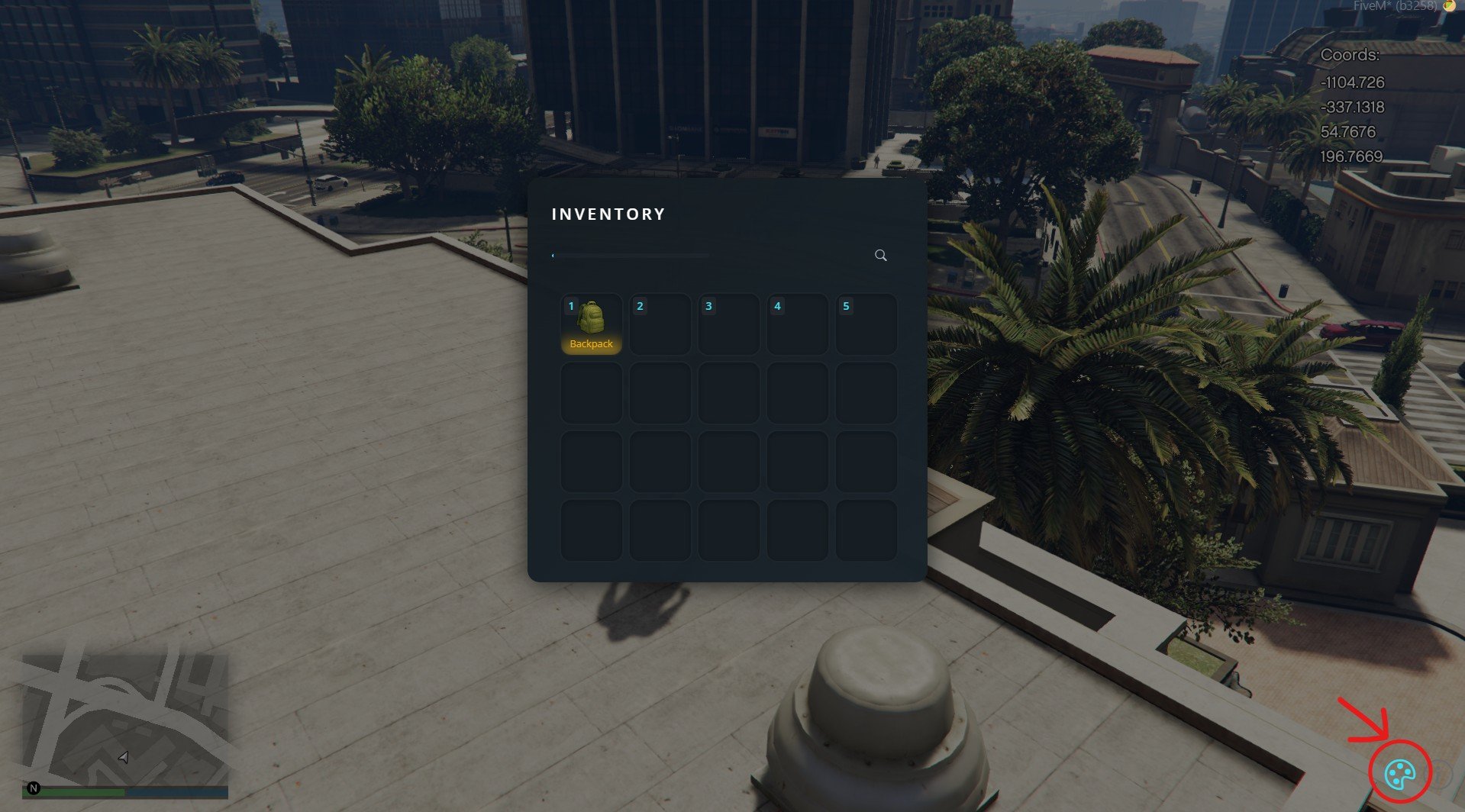 Change the colors and styles as you like, then hit **Save**.
Make sure your custom theme is selected.
Change the colors and styles as you like, then hit **Save**.
Make sure your custom theme is selected.
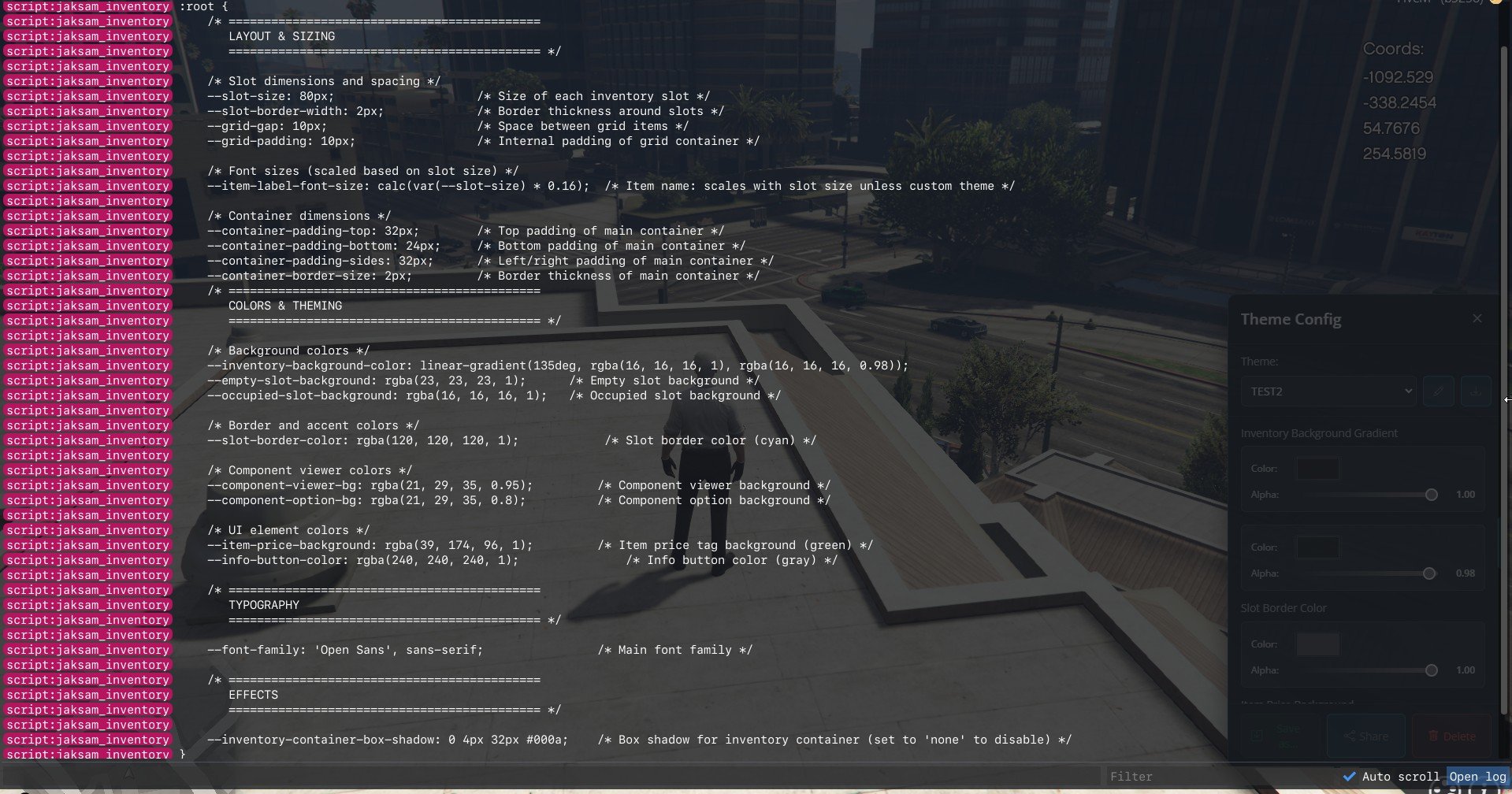
 Press **F8** to open the console, then type:
```bash theme={null}
admintheme
```
You'll see a bunch of code.
Copy *everything* between `COPY FROM THE LINE BELOW` and `COPY TILL THE LINE ABOVE` — don't miss the edges.
Press **F8** to open the console, then type:
```bash theme={null}
admintheme
```
You'll see a bunch of code.
Copy *everything* between `COPY FROM THE LINE BELOW` and `COPY TILL THE LINE ABOVE` — don't miss the edges.
 Go to the server files and open:
```text theme={null}
jaksam_inventory/dist/assets/variables.css
```
Paste what you copied, replacing **everything** in that file.
Restart the script or reload the server.
That's it! Now everyone's default theme will use your custom colors and settings (unless they change it themselves).
## Related topics
- [Replacing default names](/jobs-creator/replacing-default-scripts-names.md)
- [How to](/jaksam-inventory/how-to-update.md)
- [How to use images for items](/shops-creator/how-to-use-images-for-items.md)
- [Change doors icon](/doors-creator/change-doors-icon.md)
- [Replace default billing](/jobs-creator/client/replace-default-billing.md)
Go to the server files and open:
```text theme={null}
jaksam_inventory/dist/assets/variables.css
```
Paste what you copied, replacing **everything** in that file.
Restart the script or reload the server.
That's it! Now everyone's default theme will use your custom colors and settings (unless they change it themselves).
## Related topics
- [Replacing default names](/jobs-creator/replacing-default-scripts-names.md)
- [How to](/jaksam-inventory/how-to-update.md)
- [How to use images for items](/shops-creator/how-to-use-images-for-items.md)
- [Change doors icon](/doors-creator/change-doors-icon.md)
- [Replace default billing](/jobs-creator/client/replace-default-billing.md)