> ## Documentation Index
> Fetch the complete documentation index at: https://docs.jaksam-scripts.com/llms.txt
> Use this file to discover all available pages before exploring further.
# Admin Inventory (Omnipack)
> Access and manage the admin omnipack, and set up omnipack-only permissions
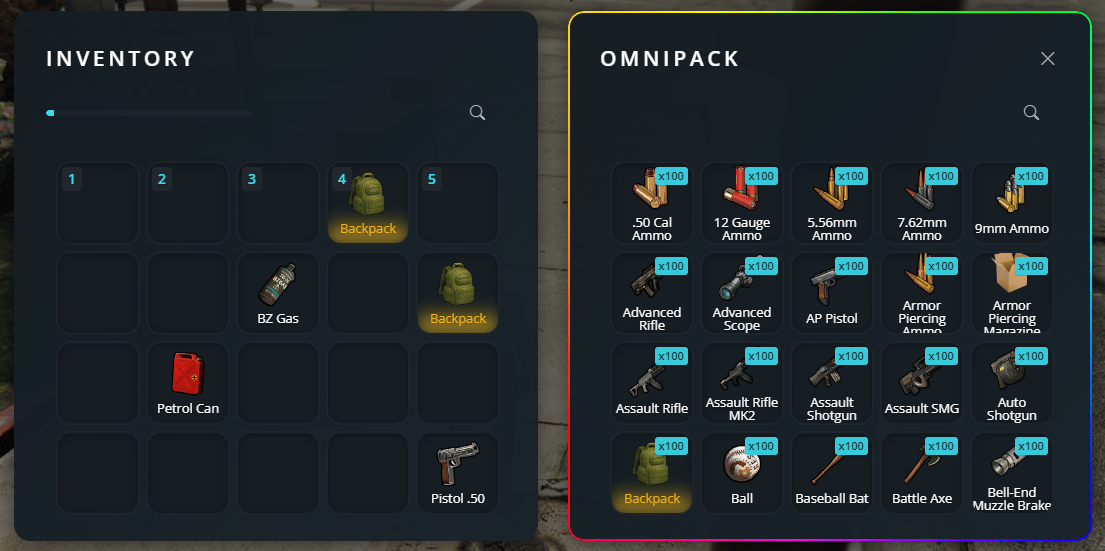
If you already have admin permissions (you can see it by typing `/inventory` in-game), you can open the omnipack by simply opening your inventory (F2), and then pressing F1.
Moving an item **TO** omnipack will **delete** it.
 ## Omnipack-only access
If you want to give access **only** to the omnipack without granting access to the admin menu and commands, use the specific permission:
```bash theme={null}
add_ace identifier.license:26240584e4v4ca31b22d247b8be6921a8d22j6m1 jaksam_inventory.omnipack allow # Allows only omnipack permission
```
With this permission, the player will be able to:
Use the omnipack (F1 in inventory)
Open the admin menu (`/inventory`)
Use admin commands (`/giveitem`, `/removeitem`, etc.)
## Related topics
- [Admin bypass lock](/doors-creator/admin-bypass-lock.md)
- [Weapon Attachments](/jaksam-inventory/guides/weapon-attachments.md)
- [Admin shop bought object](/shops-creator/server/transactions/admin-shop-bought-object.md)
- [Admin shop sold object](/shops-creator/server/transactions/admin-shop-sold-object.md)
- [Commands](/jaksam-inventory/guides/commands.md)
## Omnipack-only access
If you want to give access **only** to the omnipack without granting access to the admin menu and commands, use the specific permission:
```bash theme={null}
add_ace identifier.license:26240584e4v4ca31b22d247b8be6921a8d22j6m1 jaksam_inventory.omnipack allow # Allows only omnipack permission
```
With this permission, the player will be able to:
Use the omnipack (F1 in inventory)
Open the admin menu (`/inventory`)
Use admin commands (`/giveitem`, `/removeitem`, etc.)
## Related topics
- [Admin bypass lock](/doors-creator/admin-bypass-lock.md)
- [Weapon Attachments](/jaksam-inventory/guides/weapon-attachments.md)
- [Admin shop bought object](/shops-creator/server/transactions/admin-shop-bought-object.md)
- [Admin shop sold object](/shops-creator/server/transactions/admin-shop-sold-object.md)
- [Commands](/jaksam-inventory/guides/commands.md)