> ## Documentation Index
> Fetch the complete documentation index at: https://docs.jaksam-scripts.com/llms.txt
> Use this file to discover all available pages before exploring further.
# Optimisation
> Branche-toi sur les events d'items de ton inventaire pour améliorer les performances de Trackers Creator.
Cette page te montre comment optimiser le script. Suivre toutes les instructions ci-dessous améliorera les performances du script.
## Vérification des items
Utilise ces events **côté serveur** juste après tout ajout/retrait d'item. Ils peuvent être utilisés n'importe où, tant que tu remplaces les paramètres par les bons.
```lua theme={null}
TriggerEvent("framework:onItemAdded", playerId, itemName, itemCount)
```
```lua theme={null}
TriggerEvent("framework:onItemRemoved", playerId, itemName, itemCount)
```
### Exemples
Si tu utilises quelque chose qui n'est pas listé dans les exemples, sa modification est à ta charge — les events listés ci-dessus fonctionnent partout s'ils sont utilisés correctement.
#### ESX
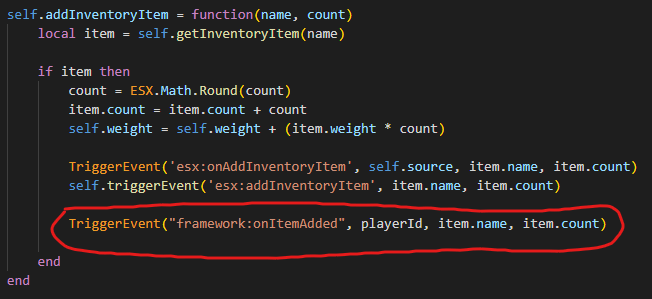
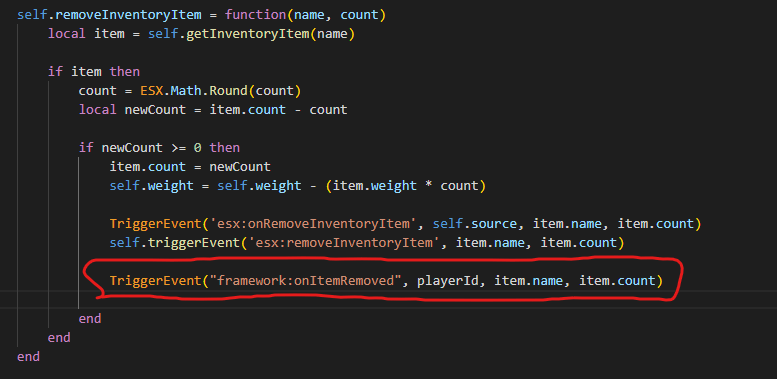
ESX par défaut a déjà `esx:onAddInventoryItem` et `esx:onRemoveInventoryItem`, ce qui signifie que tu n'auras rien à ajouter. Suis l'exemple ci-dessous uniquement si tu n'as pas ces events pour une raison quelconque.
Va dans `es_extended/server/classes/player.lua` et ajoute le code suivant :
 #### OX Inventory (ESX)
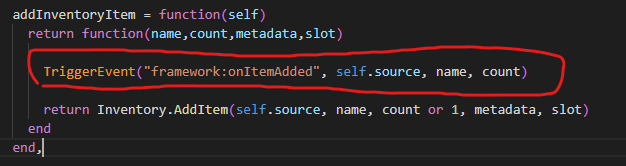
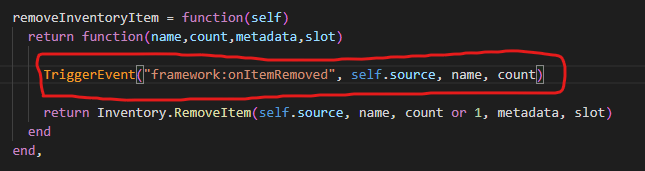
Va dans `es_extended/server/classes/overrides/oxinventory.lua` et ajoute le code suivant :
#### OX Inventory (ESX)
Va dans `es_extended/server/classes/overrides/oxinventory.lua` et ajoute le code suivant :
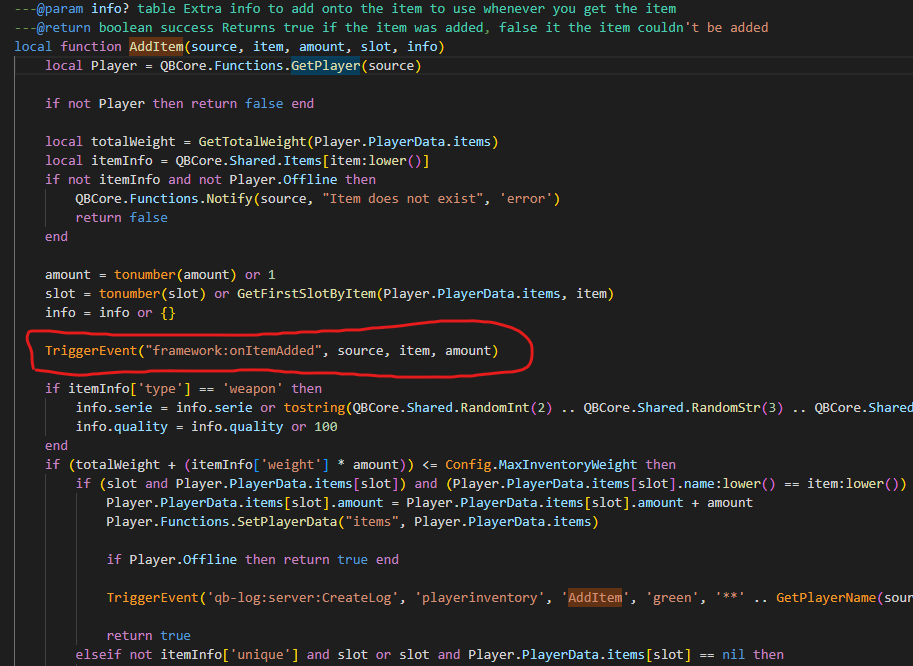
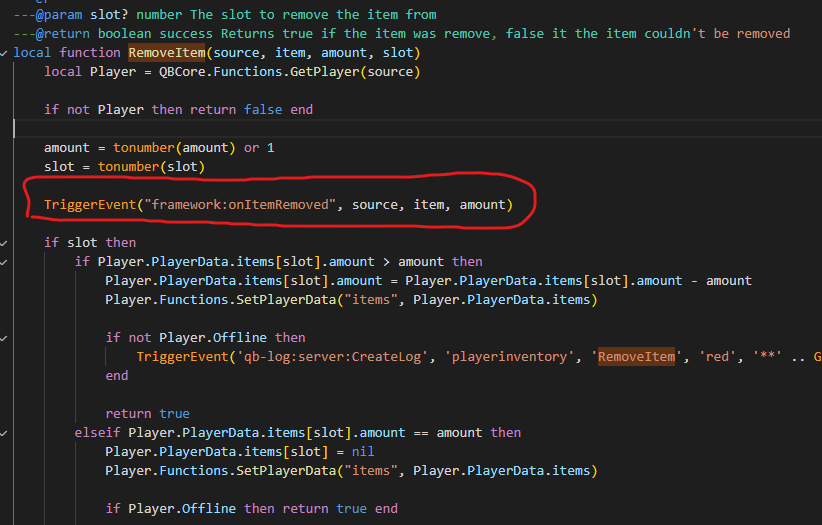
 #### QBCore (dernière version)
Va dans `qb-inventory/server/main.lua` et ajoute le code suivant :
#### QBCore (dernière version)
Va dans `qb-inventory/server/main.lua` et ajoute le code suivant :
 This documentation is built and hosted on [Mintlify](https://mintlify.com), a developer documentation platform.