> ## Documentation Index
> Fetch the complete documentation index at: https://docs.jaksam-scripts.com/llms.txt
> Use this file to discover all available pages before exploring further.
# Optimización
> Engánchate a los events de items de tu inventario para mejorar el rendimiento de Trackers Creator.
Esta página te muestra cómo optimizar el script. Seguir todas las instrucciones de abajo mejorará el rendimiento del script.
## Comprobación de items
Usa estos events del **lado del servidor** justo después de cualquier adición/eliminación de items. Se pueden usar en cualquier lugar, siempre que reemplaces los parámetros por los adecuados.
```lua theme={null}
TriggerEvent("framework:onItemAdded", playerId, itemName, itemCount)
```
```lua theme={null}
TriggerEvent("framework:onItemRemoved", playerId, itemName, itemCount)
```
### Ejemplos
Si usas algo que no está en los ejemplos, adaptarlo depende de ti — los events indicados arriba funcionan en cualquier lugar si se usan correctamente.
#### ESX
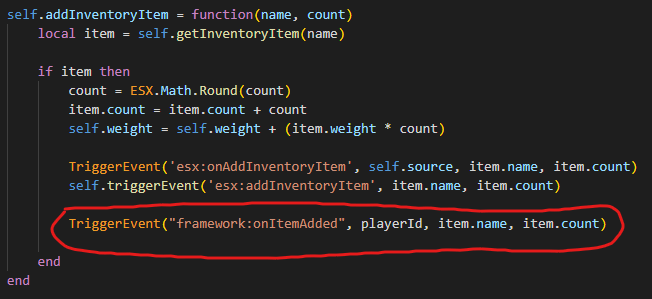
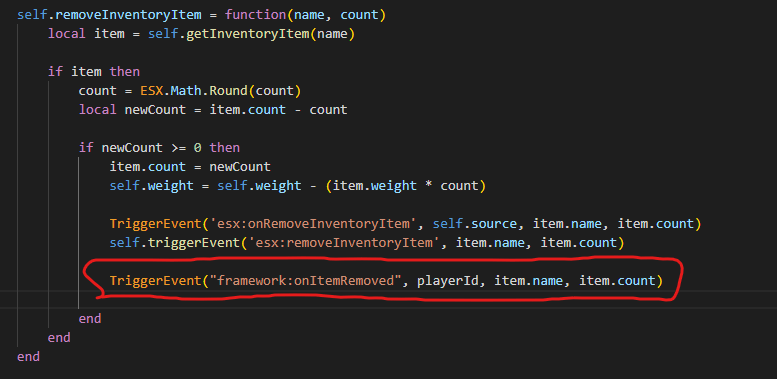
El ESX predeterminado ya tiene `esx:onAddInventoryItem` y `esx:onRemoveInventoryItem`, por lo que no necesitarás añadir nada. Sigue el ejemplo de abajo solo si no tienes esos events por algún motivo.
Ve a `es_extended/server/classes/player.lua` y añade el siguiente código:
 #### OX Inventory (ESX)
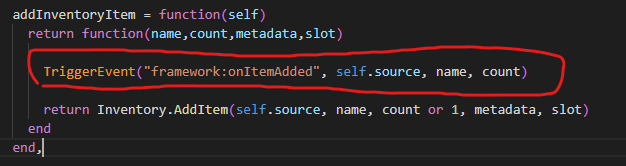
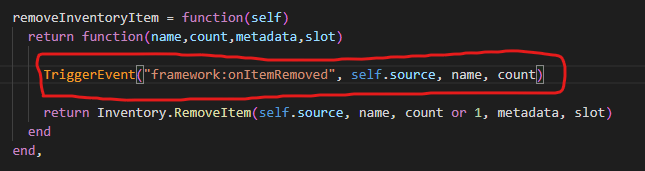
Ve a `es_extended/server/classes/overrides/oxinventory.lua` y añade el siguiente código:
#### OX Inventory (ESX)
Ve a `es_extended/server/classes/overrides/oxinventory.lua` y añade el siguiente código:
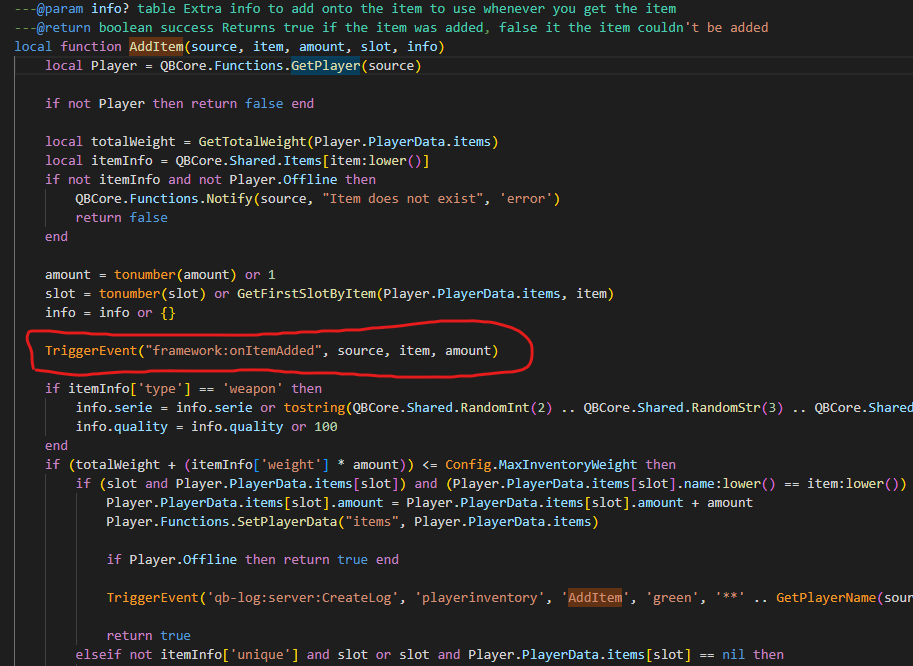
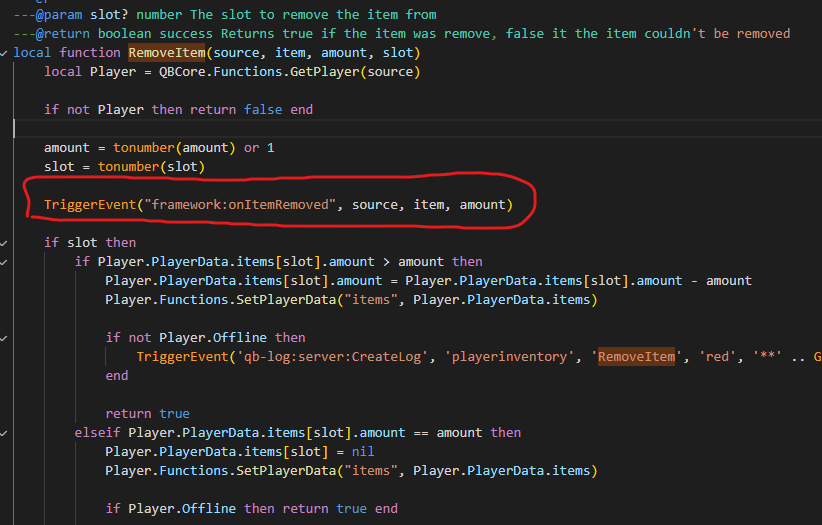
 #### QBCore (última versión)
Ve a `qb-inventory/server/main.lua` y añade el siguiente código:
#### QBCore (última versión)
Ve a `qb-inventory/server/main.lua` y añade el siguiente código:
 This documentation is built and hosted on [Mintlify](https://mintlify.com), a developer documentation platform.