> ## Documentation Index
> Fetch the complete documentation index at: https://docs.jaksam-scripts.com/llms.txt
> Use this file to discover all available pages before exploring further.
# Installation
> Installiere Luxury Clothes Theft mit ESX oder QBCore auf deinem FiveM-Server, inklusive optionaler Standard-Item-Einrichtung.
Die Installation des Scripts ist sehr einfach.
## Voraussetzungen
* **ESX** oder **QBCore**
* Bei QBCore das [`menu_default`](https://drive.google.com/file/d/1Ezz-d50NIKQZeZJ-RgyclvNG7qC4Nfu8/view?usp=sharing)-Script
Verwende **KEIN** FileZilla, um die Dateien hochzuladen, sonst funktioniert das Script **NICHT**.
Verwende stattdessen [WinSCP](https://winscp.net/eng/download.php).
Lade das Script herunter und entpacke es in deine Resources.
Füge das Script zu deinem Autostart hinzu (Beispiel: `server.cfg`).
Konfiguriere die Optionen in den Config-Dateien (lies die Kommentare, sie erklären alles).
### Items hinzufügen — Optional
Um die vorgefertigten Items hinzuzufügen, führe einfach die Datei `luxury_clothes_theft/sql/items_limit.sql` **oder** `luxury_clothes_theft/sql/items_weight.sql` aus, je nachdem ob dein Server Limit- oder Gewichtsbasis nutzt.
Die neueste ESX-Version nutzt **Gewicht**.
Falls es nicht funktioniert, stelle sicher, dass du die neueste offizielle ESX-Version mit den benötigten Abhängigkeiten verwendest.
Lade das Script herunter und entpacke es in deine Resources.
Füge das Script zu deinem Autostart hinzu (Beispiel: `server.cfg`).
Konfiguriere die Optionen in den Config-Dateien (lies die Kommentare, sie erklären alles).
Lade [menu\_default](https://drive.google.com/file/d/1Ezz-d50NIKQZeZJ-RgyclvNG7qC4Nfu8/view?usp=sharing) herunter und entpacke es in deine Resources, **ohne es umzubenennen**, und füge es zu deinem Autostart hinzu (Beispiel: `server.cfg`).
### Items hinzufügen
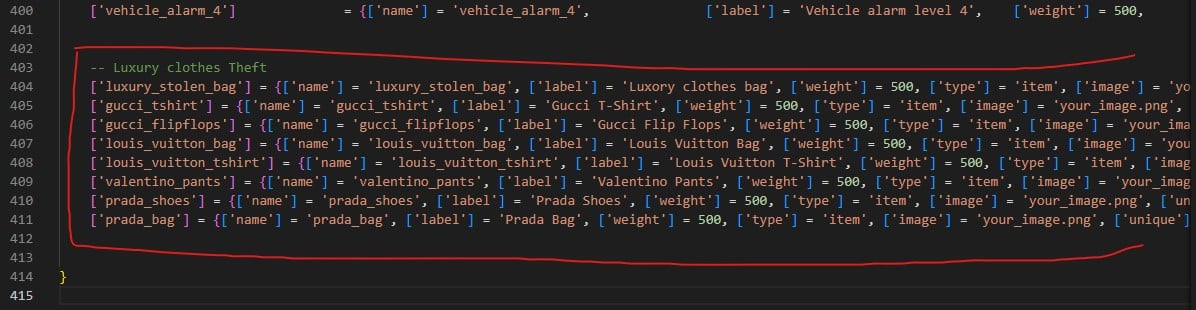
Um die neuen Items hinzuzufügen, bearbeite die Datei `qb-core/shared/items.lua` und füge folgenden Code am Ende der Tabelle hinzu:
```lua theme={null}
['luxury_stolen_bag'] = {['name'] = 'luxury_stolen_bag', ['label'] = 'Luxury clothes bag', ['weight'] = 500, ['type'] = 'item', ['image'] = 'your_image.png', ['unique'] = false, ['useable'] = false, ['shouldClose'] = false, ['combinable'] = nil},
['gucci_tshirt'] = {['name'] = 'gucci_tshirt', ['label'] = 'Gucci T-Shirt', ['weight'] = 500, ['type'] = 'item', ['image'] = 'your_image.png', ['unique'] = false, ['useable'] = false, ['shouldClose'] = false, ['combinable'] = nil},
['gucci_flipflops'] = {['name'] = 'gucci_flipflops', ['label'] = 'Gucci Flip Flops', ['weight'] = 500, ['type'] = 'item', ['image'] = 'your_image.png', ['unique'] = false, ['useable'] = false, ['shouldClose'] = false, ['combinable'] = nil},
['louis_vuitton_bag'] = {['name'] = 'louis_vuitton_bag', ['label'] = 'Louis Vuitton Bag', ['weight'] = 500, ['type'] = 'item', ['image'] = 'your_image.png', ['unique'] = false, ['useable'] = false, ['shouldClose'] = false, ['combinable'] = nil},
['louis_vuitton_tshirt'] = {['name'] = 'louis_vuitton_tshirt', ['label'] = 'Louis Vuitton T-Shirt', ['weight'] = 500, ['type'] = 'item', ['image'] = 'your_image.png', ['unique'] = false, ['useable'] = false, ['shouldClose'] = false, ['combinable'] = nil},
['valentino_pants'] = {['name'] = 'valentino_pants', ['label'] = 'Valentino Pants', ['weight'] = 500, ['type'] = 'item', ['image'] = 'your_image.png', ['unique'] = false, ['useable'] = false, ['shouldClose'] = false, ['combinable'] = nil},
['prada_shoes'] = {['name'] = 'prada_shoes', ['label'] = 'Prada Shoes', ['weight'] = 500, ['type'] = 'item', ['image'] = 'your_image.png', ['unique'] = false, ['useable'] = false, ['shouldClose'] = false, ['combinable'] = nil},
['prada_bag'] = {['name'] = 'prada_bag', ['label'] = 'Prada Bag', ['weight'] = 500, ['type'] = 'item', ['image'] = 'your_image.png', ['unique'] = false, ['useable'] = false, ['shouldClose'] = false, ['combinable'] = nil},
```
 Du bist startklar! Viel Spaß mit dem Script 😁
## Verifizierung
\[TODO: INFORMATION NEEDED] Für Luxury Clothes Theft ist noch keine Ingame-Prüfung für eine erfolgreiche Installation dokumentiert.
## Related topics
- [Installation](/de/jaksam-inventory/installation.md)
Du bist startklar! Viel Spaß mit dem Script 😁
## Verifizierung
\[TODO: INFORMATION NEEDED] Für Luxury Clothes Theft ist noch keine Ingame-Prüfung für eine erfolgreiche Installation dokumentiert.
## Related topics
- [Installation](/de/jaksam-inventory/installation.md)