> ## Documentation Index
> Fetch the complete documentation index at: https://docs.jaksam-scripts.com/llms.txt
> Use this file to discover all available pages before exploring further.
# How to use custom sprites
> Replace the default blip sprites with your own custom icons.
Blips Creator offers an extremely easy way to replace blip sprites.
Choose a `.png` icon you want to use (64x64px is best).
Go to the `blips_creator/_sprites/REPLACEABLE` folder.
Choose a sprite to replace, copy its name, and add a `#` before the name (so it's easier to find later if needed).
Place the new icon with the same name as the old sprite.
Restart Blips Creator **2 times**.
## Example with images
In this example, the green logo is replaced with the red sprite.

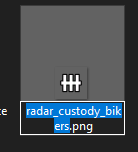
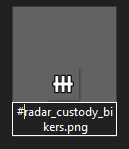
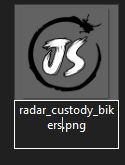
 Now restart the script **2 times** and the sprite is updated.
## Related topics
- [How to use images for items](/shops-creator/how-to-use-images-for-items.md)
- [How to](/jaksam-inventory/how-to-update.md)
- [Blips Creator](/blips-creator/home.md)
- [How to add custom audio and images to effects](/drugs-creator/guides/custom-audio-and-images.md)
Now restart the script **2 times** and the sprite is updated.
## Related topics
- [How to use images for items](/shops-creator/how-to-use-images-for-items.md)
- [How to](/jaksam-inventory/how-to-update.md)
- [Blips Creator](/blips-creator/home.md)
- [How to add custom audio and images to effects](/drugs-creator/guides/custom-audio-and-images.md)